
Why HubSpot Sales Hub Optimization Transforms Your Revenue Pipeline
HubSpot Sales Hub optimization is the process of configuring, customizing, and fine-tuning your Sales Hub to match your unique sales process, eliminate bottlenecks, and drive predictable revenue growth.
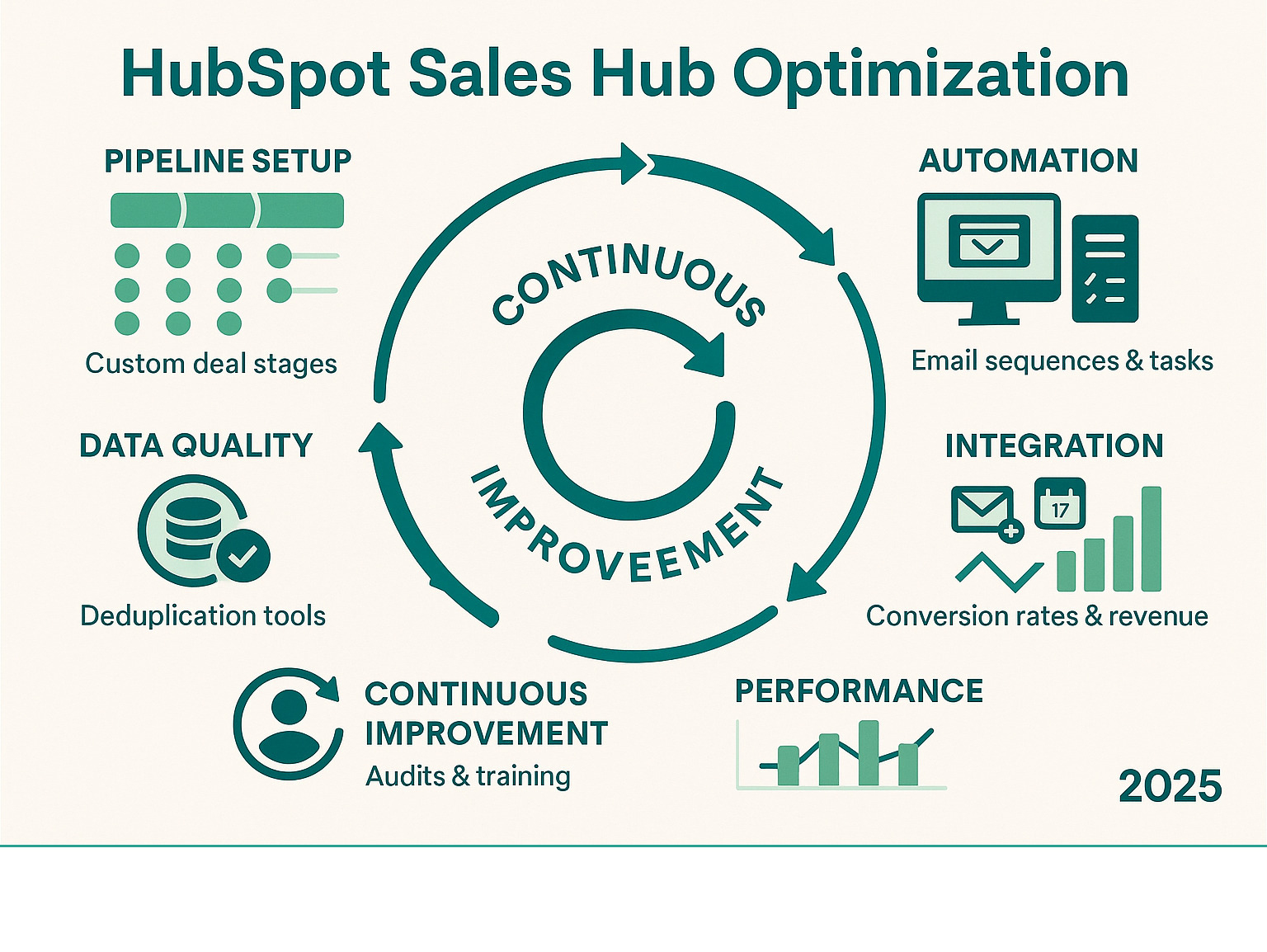
Key Areas of Sales Hub Optimization:
- Pipeline Design - Custom deal stages, required properties, and stage gates
- Data Quality - Contact deduplication, property mapping, and validation rules
- Automation Setup - Email sequences, task reminders, and workflow triggers
- Integration Management - Connecting email, calendar, and third-party tools
- Performance Tracking - Custom dashboards, conversion metrics, and forecasting
- User Training - Adoption strategies and ongoing optimization reviews
Your sales team is drowning in manual tasks. Deals sit in your pipeline for months without movement. Your forecasting feels like guesswork. Sound familiar?
But here's the catch: out-of-the-box HubSpot won't get you there.
You need a strategic approach to setup, customization, and ongoing optimization. This guide walks you through exactly how to transform your Sales Hub from a basic contact database into a revenue-generating machine.
Handy HubSpot Sales Hub optimization terms:
Mapping the HubSpot Ecosystem: Where Sales Hub Fits
HubSpot's ecosystem works like a well-designed house where every room serves a purpose, but the real magic happens when you move seamlessly from one space to another.
The CRM is your foundation, storing all contacts, companies, and interaction history in one central place. Every other Hub builds on this foundation, creating a connected experience that eliminates data silos.
Marketing Hub attracts visitors and nurtures leads until they're ready to buy. Sales Hub manages the entire sales process from first contact to closed deal. Service Hub keeps customers happy after the sale. Operations Hub syncs data between all your tools.
When these Hubs work together properly, the results are dramatic. A lead captured by Marketing Hub automatically becomes a contact in Sales Hub with full source tracking. When Sales Hub closes a deal, Service Hub can immediately trigger onboarding workflows.
What Is HubSpot Sales Hub?
Think of Sales Hub as your sales team's mission control center. At its heart, it's a CRM that actually makes sense - no confusing menus, just the tools you need to sell more effectively.
The core modules work together seamlessly. Your contact and deal management system keeps track of every conversation in one place. Email tracking shows you exactly when prospects open your messages. Meeting scheduling eliminates the back-and-forth of finding time to connect. Document sharing lets you know when someone opens your proposal and which sections they spend time reading.
What makes this powerful is how it connects. When a prospect books a meeting, Sales Hub creates a deal record. When they view your proposal, you get a real-time notification. It's like having a personal assistant who never forgets anything.
Sales Hub: What Sets It Apart
Sales Hub hits the sweet spot between simplicity and functionality. The usability feels natural because it mirrors how salespeople actually work. New team members can start being productive on day one.
Scalability happens without drama. You can start with basic contact management and gradually add automation and advanced reporting as your team grows. There's no painful migration to a "bigger" system down the road.
The ROI becomes crystal clear because everything connects back to revenue. You'll know exactly which marketing campaigns generate the most qualified leads and which email templates get the best response rates.
The real magic happens when Sales Hub integrates with Marketing Hub. Your sales team gets complete context on every prospect's journey before they even pick up the phone.
Setting Up & Customizing Your Sales Workspace
Most companies either nail this foundation and set themselves up for months of smooth sailing, or they rush through setup and spend the next year fighting their own CRM. The secret? Think through your actual sales process before you start clicking buttons.
Your pipeline isn't just a pretty visual - it's the backbone of your entire HubSpot Sales Hub optimization strategy.
Start with your real sales process. Map out how deals actually flow through your team. Not the idealized version from your sales playbook, but the messy reality of how prospects become customers.
Your pipeline stages should mirror these natural checkpoints. We typically recommend six to nine stages maximum - any more and deals get stuck in limbo, any fewer and you lose visibility for accurate forecasting.
Here's a framework that works well for most B2B companies: Initial Contact for that first meaningful conversation, Qualification once you've confirmed budget and timeline, Proposal after you've delivered your pitch, Negotiation during contract discussions, and finally Closed Won or Lost.
Each stage needs clear entry and exit criteria so your team knows exactly when to move deals forward. Set realistic probability percentages and specify required properties at each stage to maintain clean data.
The Lead Status Confusion
Lifecycle stages track where prospects are in their buying journey (Subscriber → Lead → Customer), while lead status tracks where you are in your sales process with that person (New → Contacted → Qualified).
One tracks their journey, the other tracks your progress. Both matter, but for different reasons.
For more detailed guidance, our HubSpot CRM Optimization: 7 Ways to Get More from Your CRM guide dives deeper into the technical setup.
Initial Onboarding Checklist
Your first three weeks make or break your Sales Hub success. Week one focuses on connecting the basics, including email integration, calendar sync, and phone setup. Don't skip the mobile app configuration.
Week two focuses on data and processes. Import your existing contacts and deals, but clean data always beats complete data. Set up your custom pipeline stages and create the required properties—configure user permissions now, before you have a mess of data with incorrect access levels.
Week three is where things get exciting with automation and integration. Build your first email sequence - keep it simple to start. Set up basic deal rotation if you have multiple reps. Connect your most critical third-party tools.
The key is patience. The teams that take time to build a solid foundation consistently outperform those who rush to go live.
Data Migration & Quality Control
Data migration feels like archaeology sometimes. The temptation is to bring everything over, but selective migration beats comprehensive migration every time.
Start by cleaning your existing data before the import. Merge duplicate companies, standardize deal stages, and decide what historical data actually helps your team sell.
Set up data quality rules from the start. Required properties for each deal stage prevent incomplete records. Format validation keeps your data standardized. Automatic duplicate detection saves hours of manual cleanup later.
The goal isn't perfect data - it's useful data that helps your team sell more effectively.
HubSpot Sales Hub Optimization Best Practices
Here's where things get exciting - we're moving beyond basic setup into the strategies that actually drive revenue. HubSpot Sales Hub optimization success comes down to focusing on the right metrics and automating the right activities.
Most sales teams track vanity metrics like email open rates. The teams that see real growth focus on conversion metrics that directly impact revenue.
Pipeline velocity is your north star metric: (Number of Deals × Average Deal Size × Win Rate) ÷ Sales Cycle Length. When you optimize for velocity, everything else falls into place.
Lead-to-opportunity conversion rates tell you if your qualification process is working. Opportunity-to-customer conversion rates reveal whether your sales process actually closes deals.
Track average deal size by source and sales cycle length by deal type. These metrics help you double down on what's working and fix what isn't.
Stage gates force data quality without feeling like extra work. Set up required properties at each deal stage that prevent deals from advancing without key information.
At qualification, require budget range, decision maker identification, and timeline confirmation. For proposals, mandate proposal sent date and next steps definition. This eliminates deals that sit in your pipeline forever while giving you data for accurate forecasting.
Core Elements of HubSpot Sales Hub Optimization
Deal velocity optimization starts with identifying bottlenecks in your pipeline. Look for stages where deals consistently get stuck or where conversion rates drop significantly.
Standardize your qualification process so every rep asks the same questions. Create urgency with time-bound proposals. Use mutual close plans where both you and your prospect agree on next steps.
Pipeline health monitoring should become a weekly habit. A healthy pipeline has consistent flow between stages and predictable conversion rates. Warning signs include deals stuck in one stage for weeks or low activity on high-value deals.
Lead scoring helps your team focus on prospects most likely to buy. Keep it simple: demographic scoring for company size and role (0-40 points), plus behavioral scoring for engagement and content downloads (0-60 points). Set your qualification threshold around 75+ points.
HubSpot's lead scoring guide provides detailed setup instructions.
Segmentation drives personalization. Segment by industry for specific messaging, by company size for appropriate pricing, by role for targeted sequences, and by geography for local references.
Task automation should eliminate repetitive work. Set up follow-up tasks when deals sit too long, assign tasks when high-value prospects visit your pricing page, and create reminders for customer check-ins.
Common HubSpot Sales Hub optimization Challenges & Fixes
User adoption remains the biggest challenge. Your team keeps using spreadsheets because the CRM feels like extra work. The fix is making HubSpot easier to use than not using it. Set up mobile access, create shortcuts for common tasks, and show quick wins from better data.
Messy data kills momentum. Combat this with data validation rules, automated deduplication workflows, and gentle prompts that encourage users to complete missing information.
Reporting gaps frustrate everyone. Start with HubSpot's default reports, then customize gradually. Focus on conversion rates and pipeline health rather than activity metrics that don't predict revenue.
Integration silos create scattered data. Use HubSpot's native integrations first, then consider Operations Hub for complex data syncing needs.
Every one of these challenges has a solution, and fixing them creates compound benefits that get better over time.
Automation, AI & Integrations: Working Smarter
This is where HubSpot Sales Hub optimization gets exciting. The right automation saves your team hours per day while improving consistency and follow-up.
Sales automation isn't about replacing your salespeople - it's about freeing them up to do what they do best. When your CRM handles routine follow-ups and data entry, your team can focus on building relationships and closing deals.
Start with these principles: Automate repetitive tasks, not relationship-building conversations. Begin with simple workflows and add complexity gradually. Always test with a small group first.
Email sequences work best when they balance value with persistence. Your first email should provide immediate value. The second can include social proof. Your third should suggest a specific next step. Your final attempt might offer an alternative way to stay in touch.
Conversation intelligence automatically captures and analyzes your sales calls, identifying which topics correlate with closed deals. It tracks competitor mentions, highlights coaching opportunities, and measures talk time ratios.
Breeze AI integration handles meeting scheduling, takes notes during calls, creates personalized outreach, and keeps your CRM data current. The AI generates email templates based on contact data, summarizes meetings with clear next steps, and even predicts deal close probability.
For comprehensive automation setup, our HubSpot Services team can help you build workflows that work with your process.
Time-Saving Automation Recipes
MQL handoff automation eliminates lead handoff delays. When Marketing qualifies a lead, the system automatically assigns it to the right sales rep, creates a deal record, sends a personalized introduction email, and sets a follow-up task within 24 hours.
Dormant deal re-engagement tackles deals that go quiet. When deals sit inactive for two weeks, the system sends an automated status update request and creates a personal outreach task for the rep.
Quote follow-up sequences keep momentum after proposals.
- Day one brings confirmation with next steps.
- Day three checks for questions.
- Day seven shares a case study.
- Day fourteen offers to discuss modifications.
Renewal reminder systems prevent accidental churn. The automation alerts account managers 90 days before renewal, sends proposals at 60 days, and escalates to management if not renewed at 15 days.
Must-Have Integrations
LinkedIn Sales Navigator syncs your LinkedIn interactions directly with HubSpot contact records. When you connect with someone on LinkedIn, it automatically updates their contact record and can trigger follow-up sequences.
Calendar integration automatically logs meeting outcomes, creates follow-up tasks based on meeting types, updates deal stages when certain meetings occur, and tracks meeting-to-close conversion rates.
CPQ tools handle complex pricing scenarios that basic HubSpot quotes can't manage. They generate accurate quotes based on configured products and apply discount rules automatically.
Chatbot integration qualifies leads before they reach your sales team. Website chatbots capture contact information, route qualified leads to the right reps, and schedule meetings directly through the chat interface.
Start with integrations that solve your biggest pain points first. Don't try to connect everything at once.
Need help getting these integrations set up? Our QuickAssist service provides on-demand HubSpot support when you need it most.
Measuring Success & Continuous Improvement
Most teams track everything and optimize nothing. They've got dashboards that look impressive but don't actually help anyone sell more effectively.
The secret isn't measuring more - it's measuring what matters and acting on those insights consistently.
Dashboard Design That Actually Gets Used
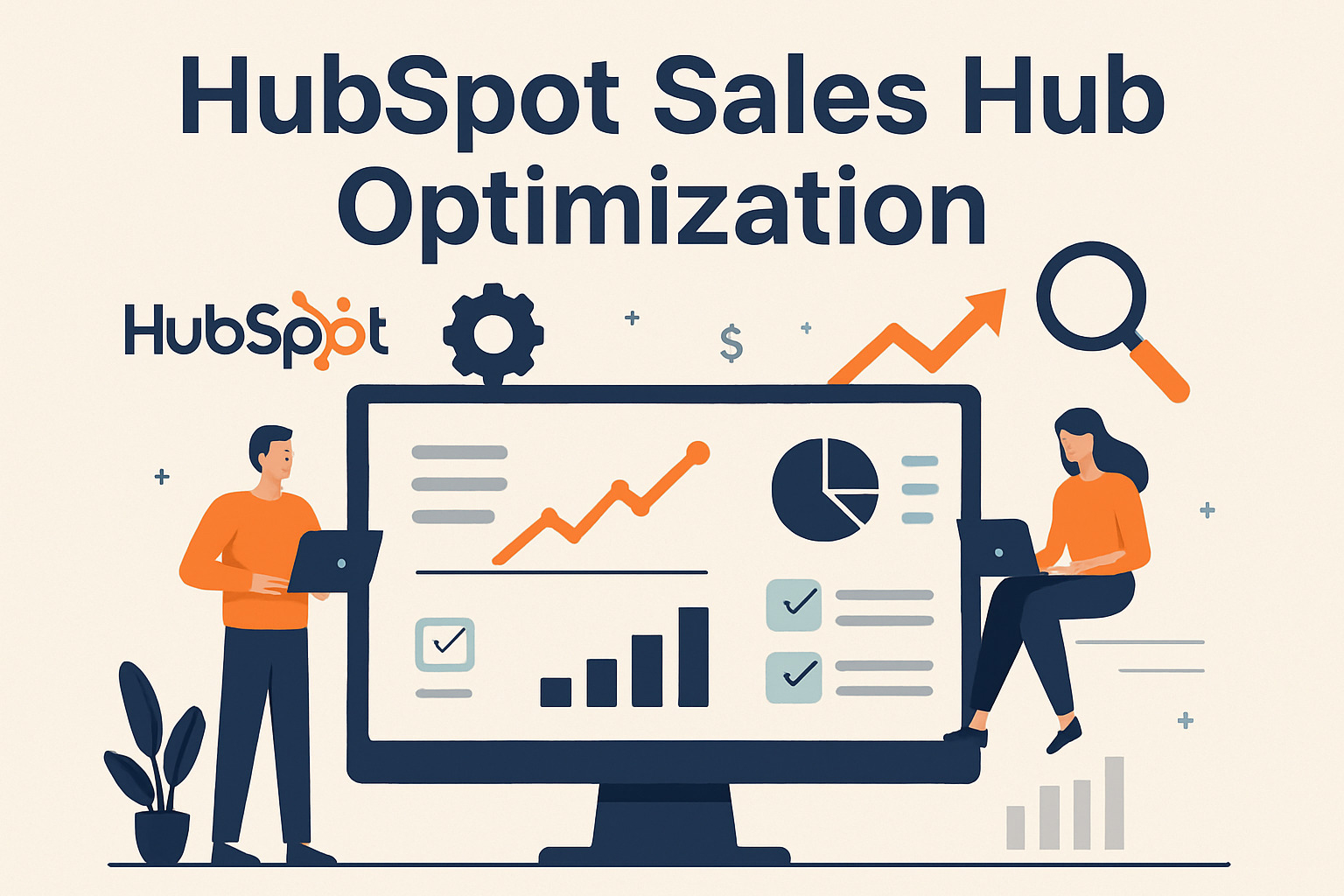
Your dashboard should tell a story at a glance. The best dashboards follow a simple rule: one screen, key decisions only. Include visual indicators that immediately show good versus bad performance, with the ability to drill down when something needs investigation.
Custom Reports That Drive Real Decisions
Instead of tracking how many calls were made, dig deeper into which activities predict closed deals. Ask questions like: Which marketing channels produce deals that close faster? Who on your team needs more support? Are you getting better at qualification over time?
Making Forecasting Actually Accurate
Improve forecast accuracy by implementing consistent stage definitions across your team. Use weighted pipeline calculations based on historical performance. Track how your forecasts compare to actual results, then adjust probability percentages based on real data.
A/B Testing Your Way to Better Results
The beautiful thing about HubSpot Sales Hub optimization is that you can test almost everything systematically. Try different email subject lines, experiment with meeting invitation templates, and test various follow-up sequences.
Reporting That Matters
Conversion Rates Tell the Real Story
Focus on conversion rates at each stage. Visitor-to-lead conversion shows website effectiveness. Lead-to-opportunity conversion reveals qualification process quality. Opportunity-to-customer conversion measures actual sales effectiveness.
Average Deal Size Insights
Track deal size across different dimensions. Which lead sources bring bigger deals? Who on your team is best at upselling? Which industry verticals should you focus on?
Sales Cycle Length Optimization
Measure time between key milestones: first contact to qualified opportunity, opportunity creation to proposal sent, proposal sent to negotiation started, and negotiation to close.
Activity Correlation Analysis
Which activities actually correlate with closed deals? Track findy calls per deal, email touchpoints before first meetings, and stakeholders involved in the decision process.
Iteration Framework
Quarterly Health Checks
Every quarter, audit your HubSpot Sales Hub optimization efforts. Review user adoption rates, verify data quality, examine workflow performance, and evaluate integration health.
Monthly KPI Reviews That Drive Action
Monthly reviews should focus on achievement versus targets and trend analysis. When you spot variances, investigate the root causes and create targeted action plans.
Continuous Workflow Tuning
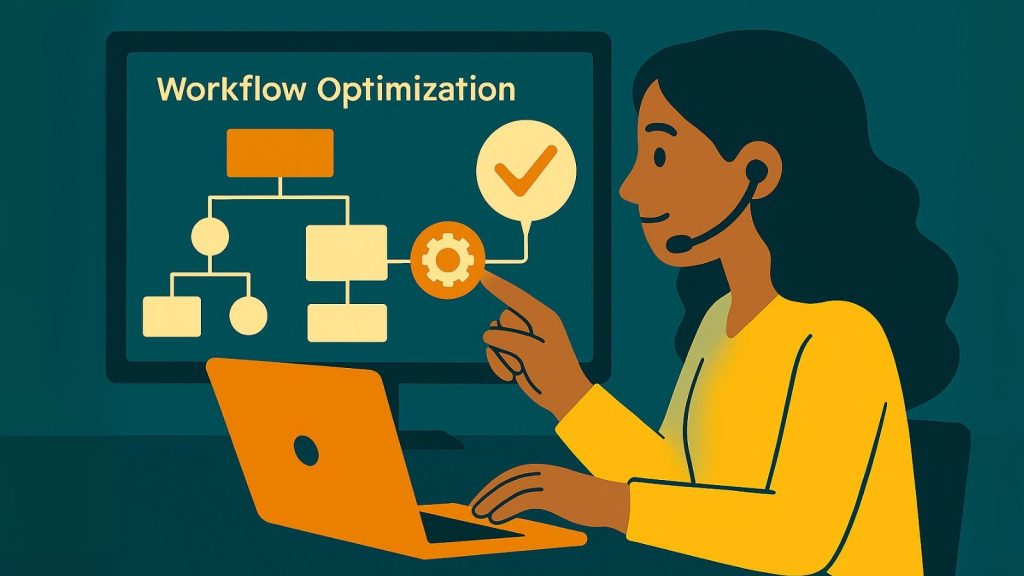
Your workflows should evolve based on real performance data. Examine completion rates and assess the conversion impact. Gather feedback from your team on whether the workflows help or hinder their efforts.
The goal isn't perfection - it's consistent improvement. Minor optimizations compound over time into significant competitive advantages.
Frequently Asked Questions about HubSpot Sales Hub
Let's tackle the questions we get asked most often about HubSpot Sales Hub optimization. These are the real questions from real people trying to make sense of HubSpot's features and capabilities.
How many pipelines can I have per plan?
The number of pipelines you can create depends entirely on which HubSpot plan you're on. The free plan gives you just 1 pipeline, which works fine if you're just getting started or have a simple sales process.
Once you upgrade to the Starter plan, you get 2 pipelines - enough to separate something like new business deals from renewal opportunities. The Professional plan bumps you up to 15 pipelines, which handles most complex sales scenarios we've encountered.
If you're running a large enterprise with multiple product lines, divisions, or completely different sales processes, the Enterprise plan offers 100 pipelines. That's more than most companies will ever need, but it's there if you want to get really granular with your tracking.
Most companies start with one pipeline and add more as they grow. Common reasons to add pipelines include separating new business from renewals, tracking different product lines, or managing partner vs. direct sales channels.
What's the difference between Lifecycle Stage and Lead Status?
This question comes up in almost every HubSpot Sales Hub optimization conversation we have, and honestly, it confused us when we first started too.
Lifecycle Stage tracks where someone is in their buying journey. Think of it as their natural progression from not knowing about you to becoming a raving fan. The typical flow looks like: Subscriber → Lead → Marketing Qualified Lead → Sales Qualified Lead → Opportunity → Customer → Evangelist.
Lead Status, on the other hand, tracks what your sales team has actually done with that person. It's about your interactions, not their journey. The progression usually goes: New → Attempted Contact → Connected → Qualified → Unqualified.
Here's a simple way to remember it: Lifecycle Stage answers "where are they?" while Lead Status answers "what have we done with them?"
For example, someone might be in the "Lead" lifecycle stage (they downloaded a guide from your website) but have a lead status of "Attempted Contact" (your sales rep called but hasn't connected yet). The lifecycle stage reflects their buying journey position, while the lead status reflects your team's sales activity.
How do AI tools like Breeze improve forecasting?
HubSpot's Breeze AI tools are genuinely changing how sales teams predict and manage their pipelines. Instead of relying on gut feelings or basic probability percentages, Breeze analyzes patterns in your actual historical data to make smarter predictions.
The AI looks at deals that closed successfully and identifies common patterns - things like how many touchpoints typically happen before closing, which activities correlate with wins, and what engagement patterns indicate a deal is progressing well.
For forecasting specifically, Breeze can predict deal close probability based on how similar deals performed in your system. If deals with certain characteristics (company size, industry, engagement level) typically close at 75%, it'll flag similar current deals with that probability.
The system also identifies at-risk deals by spotting patterns that historically led to losses. Maybe deals that go quiet for more than 10 days have a much lower close rate, or deals where certain competitors are mentioned tend to stall.
What makes this really powerful is that Breeze gets smarter over time as it learns from your specific sales patterns. It's not using generic industry data - it's learning from how your team actually sells to your specific market.
The AI can also suggest optimal timing for follow-ups, flag when competitor mentions spike, and identify which objection patterns tend to derail deals. It's like having a data analyst constantly reviewing your pipeline and pointing out things you might miss.
Conclusion
HubSpot Sales Hub optimization isn't a one-time setup project - it's more like tending a garden. You plant the seeds with good initial setup, but the real growth happens through consistent care and attention over time.
The companies that see real results treat their Sales Hub like a strategic revenue engine, not just a digital filing cabinet. They understand that the magic happens in the details - the custom workflows that save hours of manual work, the data quality rules that prevent messy duplicates, and the automation sequences that nurture prospects while their team focuses on high-value activities.
Your optimization journey starts with honest assessment. Are your team members actually using the CRM? Do your deals move predictably through your pipeline? Can you forecast next quarter's revenue with confidence?
Focus on quick wins first. Start with changes that have immediate impact - maybe email tracking so your team knows when prospects are engaging, or simple automation that assigns leads to the right rep automatically.
Then plan your bigger moves strategically. Once you've proven that optimization works, tackle more complex improvements like integrating your quoting system or building sophisticated nurture sequences.
Measurement makes all the difference. The most successful Sales Hub users track the right metrics. They know their conversion rates at each stage, monitor deal velocity religiously, and can tell you exactly which activities correlate with closed deals.
The goal isn't to use every feature HubSpot offers - it's to use the right features in the right way for your unique situation. A simple, well-configured Sales Hub that matches your process will always outperform a complex setup that fights against how your team actually works.
Let's Talk about Optimizing Your Sales Hub Instance
Whether you're just getting started or looking to take your existing setup to the next level, the principles remain the same. Start with your sales process, then configure the technology to support it. Focus on user adoption and data quality. Automate the repetitive tasks so your team can focus on building relationships and closing deals.
Need help turning your Sales Hub into a revenue-generating machine? Check out our HubSpot Services Complete to see how The B2B Mix can help you sell smarter, not harder.
The companies that master HubSpot Sales Hub optimization don't just close more deals - they build predictable, scalable revenue engines that grow with their business.