
The Power of Strategic CRM Optimization
Let's talk about what HubSpot CRM optimization really means. It's not just tweaking a few settings – it's thoughtfully configuring your system to work harder for you, maintaining clean data, and ensuring every feature contributes to your bottom line.
Think of your CRM like a garden: with regular care and the right approach, it flourishes. Neglect it, and you'll soon have a tangled mess that frustrates everyone who touches it.
<<< Try the HubSpot ROI Calculator! >>>
Transform Your HubSpot Experience through Optimization
If you're looking to transform your HubSpot experience quickly, focus on these essential optimization steps:
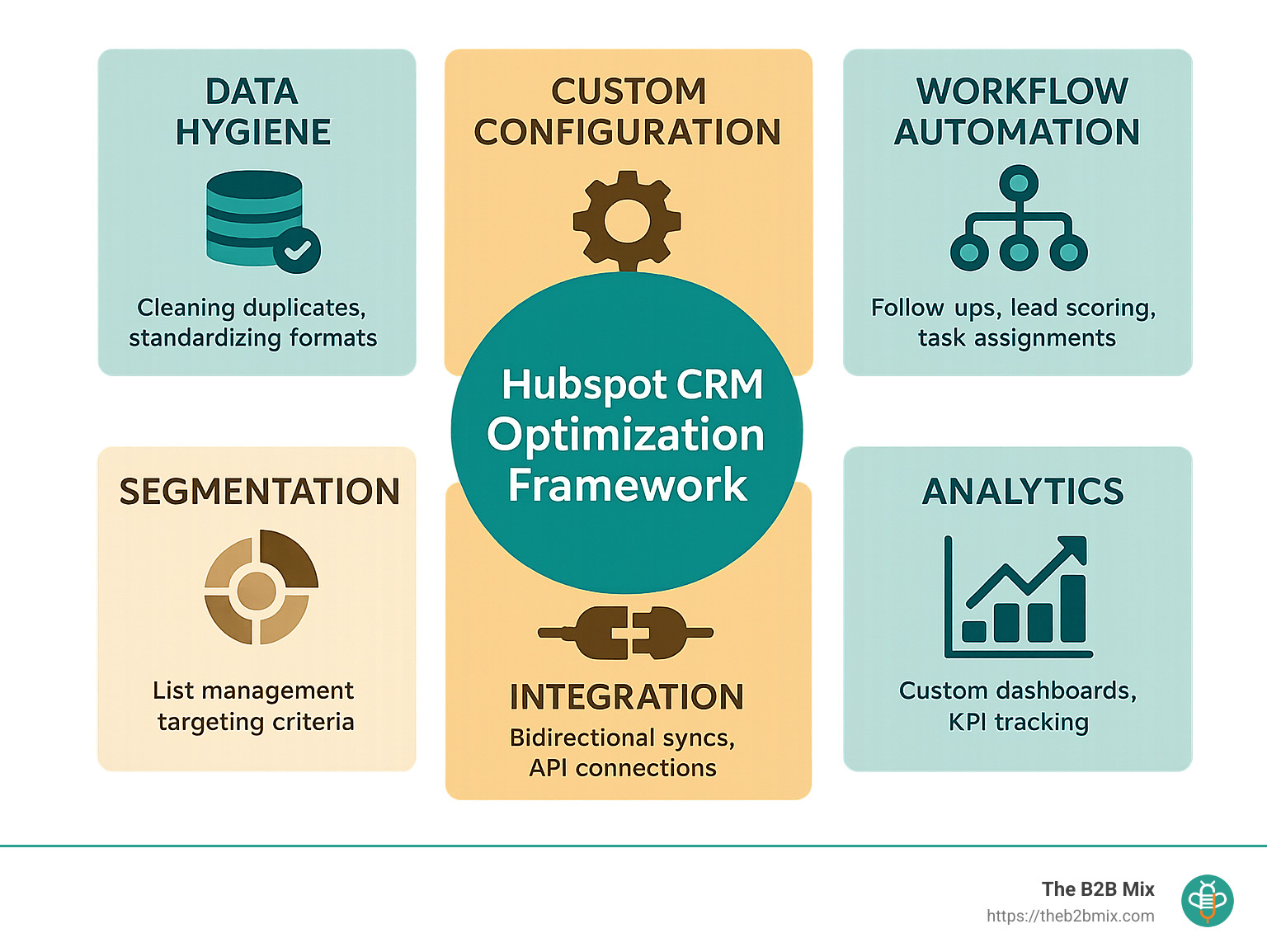
Clean and organize your data first, because even the most sophisticated CRM can't deliver insights from messy information. This involves removing those pesky duplicates, standardizing the formatting of information, and establishing clear naming conventions that everyone follows.
Create custom properties that reflect your unique business needs. The default fields are a great start, but your sales process deserves custom fields that capture exactly what matters to your team.
Implement automated workflows to free your team from repetitive tasks. When your CRM automatically handles follow-ups and routine communications, your people can focus on meaningful conversations instead of administrative busywork.
Segment contacts effectively to ensure you're speaking to the right people with the right message. Well-organized contact groups transform generic outreach into targeted conversations that resonate.
Integrate with other systems in your tech stack for seamless data flow. When information moves effortlessly between platforms, you eliminate data silos and create a unified view of your customer journey.
Build custom dashboards that spotlight what matters most. Skip the vanity metrics and focus on numbers that directly connect to your business goals.
In today's market, strong customer relationships aren't just nice to have – they're essential for survival. Yet many businesses are sitting on a goldmine of unused CRM capabilities.
This underutilization creates real problems. Your salespeople are spending approximately an hour of their day on manual data entry – valuable time that could be reclaimed through proper HubSpot CRM optimization and thoughtful automation.
The silver lining? You don't need to start from scratch. With strategic adjustments, your existing HubSpot setup can transform from a digital filing cabinet into a powerful engine driving efficiency and measurable results.
Whether you're battling duplicate contacts, struggling with disconnected workflows, or puzzling over inconsistent reporting, this guide offers practical steps to optimize your HubSpot CRM for genuine business impact.
Why HubSpot CRM Optimization Drives Revenue

A properly optimized HubSpot CRM isn't just another tool in your tech stack—it's a genuine revenue-generating powerhouse. According to HubSpot's own research, companies using their CRM platform report an average 35% increase in deals closed within the first year of implementation. This impressive lift doesn't happen by accident. It comes from eliminating daily friction points, opening up deeper customer insights, and enabling teams to make smarter, data-backed decisions.
Here at The B2B Mix®, we've witnessed how HubSpot CRM optimization transforms not just operations but actual bottom lines. When your CRM becomes the single source of truth for all customer data, something magical happens—your team spends less time digging through disconnected systems and more time building meaningful relationships. With HubSpot's robust integration ecosystem (over 1,000 connections and growing!), you can create a seamless experience across your entire tech stack, enabling real-time analytics that inform your strategy.
The Cost of Underutilization
The flip side of this opportunity is sobering. When teams only scratch the surface of what HubSpot can do, they leave significant money on the table. According to research, approximately 43% of CRM features go unused in the average implementation—that's nearly half of what you're paying for!
This underutilization creates efficiency gaps that silently drain resources. Your sales reps likely spend about at least an hour of their day on manual data entry—time that could be spent closing deals. Without proper HubSpot CRM optimization, teams miss critical opportunities to:
- Automate repetitive tasks that eat into productive selling time
- Identify and prioritize high-potential leads through intelligent scoring
- Spot and address bottlenecks in your sales pipeline before they cost you deals
- Deliver personalized customer journeys without increasing workload
- Generate accurate forecasts that help you plan with confidence
Manual processes aren't just more complicated—they're slower. And in today's competitive landscape, speed often determines who wins the deal.
Unified View of the Customer
Perhaps the most transformative benefit of thorough HubSpot CRM optimization is creating that elusive 360-degree view of the customer. When properly configured, your HubSpot instance eliminates the frustrating data silos between departments that lead to disconnected customer experiences.
A properly optimized CRM ensures deduped records stay that way, bidirectional syncs maintain data integrity across your tech stack, and every team member has the contextual information they need for meaningful engagement. This means:
- Your marketing team knows exactly which content resonates with a prospect before handing them off to sales.
- Your sales team sees which service issues a customer has experienced before making their next pitch.
- Your service team understands a customer's full journey before reaching out with a problem.
When everyone works from the same dataset, alignment happens naturally. Marketing and sales stop feeling like separate planets. Customer conversations pick up exactly where they left off, regardless of which department is handling them. And most importantly, your customers feel understood at every touchpoint—the ultimate competitive advantage in a world where experience often trumps price and features.
Step-By-Step HubSpot CRM Optimization Playbook
Now that we understand why HubSpot CRM optimization matters, let's roll up our sleeves and dive into our practical, step-by-step approach. We've designed this playbook to focus on the highest-impact areas first, giving you quick wins while building toward a fully optimized system.
Think of this as your roadmap to HubSpot success – one that doesn't require technical jargon or overwhelming changes all at once. Instead, we'll walk through each critical optimization area in a logical sequence that builds upon itself.
The beauty of HubSpot CRM optimization is that it combines several powerful elements that work together: proper data hygiene to ensure accuracy, custom properties that reflect your unique business, automated workflows that save time, and smart segmentation that personalizes customer experiences.
Each step we'll cover is designed to address common pain points we see with our clients. You know the ones – duplicate contacts causing confusion, manual processes eating up valuable time, or missed opportunities because lead scoring isn't properly set up.
In the following sections, we'll explain each optimization step with practical advice you can implement immediately. Whether you're just getting started with HubSpot or looking to improve your existing setup, these strategies will help you unlock the platform's full potential.
HubSpot CRM optimization isn't a one-and-done project—it's an ongoing process of refinement. But with each improvement, you'll see tangible benefits in efficiency, alignment, and, ultimately, your bottom line.
Let's start with the foundation of any successful CRM: clean, organized data that your team can trust.
1. Clean & Organize Your Data

Let's face it—your CRM is only as good as the data inside it. Think of HubSpot CRM optimization like renovating a house: No matter how beautiful your new furniture is, it won't fix a cracked foundation.
Deduplication
Nothing frustrates users faster than multiple versions of the same contact. HubSpot's built-in tools make it easy to find and merge these duplicates:
Start with the obvious culprits—exact email matches – before moving to trickier scenarios like similar company names with matching domains or contacts with identical phone numbers but different emails.
Standardize Naming Conventions
Ever searched for a company but couldn't find it because someone entered "Acme, Inc." while someone else used "ACME Incorporated"? Frustrating, right?
Create clear rules for how you'll enter:
Company names: Will you always include legal suffixes like "Inc." or "LLC"?
Job titles: Is it "VP of Marketing" or "Vice President, Marketing"?
Phone formats: Will you use parentheses, hyphens, or periods?
Addresses: How will you handle state, street, and unit abbreviations?
Document these conventions and share them with everyone who touches your CRM. The consistency will pay dividends in cleaner reporting and easier searching.
Note: While you can't control how website visitors enter their details in HubSpot forms, you can use HubSpot Operations Hub to standardize data automatically, reducing the need for manual updates.
Implement Data Validation Rules
Prevention beats cleanup every time. Set up property validation to catch bad data before it enters your system:
Make truly essential fields required, use dropdown menus instead of free text where possible, and create format validation for structured data like phone numbers and emails. Default values for commonly used fields can also improve consistency.
To maintain your sanity and set your team on the road to success, aim to make your CRM implementation as simple as possible. Strategically use custom fields and workflows. And don't forget to implement a routine to review data quality, identifying and addressing exceptions before they escalate out of control.
Establish Primary Keys
For those ready for advanced HubSpot CRM optimization, look beyond email addresses as your only unique identifier. Consider using LinkedIn profile URLs, employee IDs, company tax identifiers, or custom unique IDs from your other systems.
This approach creates more reliable connections when syncing with other platforms and helps prevent duplicate headaches down the road.
At The B2B Mix, as part of our Marketing Operations Consulting service, we help clients with these data cleanups. We've seen how transformative a properly organized database can be—turning frustration into efficiency almost overnight. We don't just clean your data; we build sustainable structures that maintain its cleanliness moving forward.
2. Customize Properties & Pipelines for Your Business

HubSpot ships with hundreds of standard properties, but the real magic happens when you tailor the system to reflect your unique business processes. This is where HubSpot CRM optimization becomes truly yours.
Custom Properties That Drive Results
Think of custom properties as the questions you'd naturally ask during a sales conversation. What information helps you make better decisions about a prospect? What details matter most in your industry?
For a manufacturing company, this might be equipment specifications or compliance requirements. For a SaaS business, it could be information about the tech stack or user counts. The key is capturing information that moves the needle for your specific business.
Bradlee McKibben, a HubSpot Senior Inbound Consultant, puts it perfectly: "Customize CRM records to surface key information to specific teams." This means that sales may need budget visibility, while customer success requires implementation details – all within the same contact record. Thankfully, you can customize contact record views based on the team a user belongs to, making it easy to spot key details needed in their day-to-day jobs.
Consider the full range of field types HubSpot offers when building your property set. Single-line text fields work great for unique identifiers, while dropdown selects prevent data entry errors for standardized options. Multiple checkboxes handle those "select all that apply" scenarios, and calculation fields automatically derive values based on other properties – perfect for scoring models or forecasting.
The goal isn't to create as many fields as possible (that leads to cluttered records and poor adoption). Instead, focus on the critical data points that drive meaningful action.
Lifecycle Stage Customization
HubSpot's default lifecycle stages provide a solid foundation, but they're meant to be adapted to your lifecycle marketing reality. As noted in the HubSpot Community forums: "Traditional funnel reports can only be created on Deal Stages and Lifecycle Stages, so understanding how each of those lifecycle stages is defined for your business is super important."
The key to effective HubSpot CRM optimization here is clarity. Does everyone in your organization understand exactly what makes someone an MQL versus an SQL? Are the criteria documented somewhere accessible? Have you built automation to enforce these definitions consistently?
Many organizations benefit from developing workflows based on the action that moves a contact to a new lifecycle stage. For example, you might have different types of MQLs based on the qualifying action (e.g., demo request versus whitepaper download), each requiring a different follow-up process.
Deal Pipeline Customization
Your sales process likely has nuances that don't fit neatly into a generic pipeline. Maybe you have a technical validation step before formal proposals, or perhaps you need separate pipelines for new business versus expansions.
When customizing your deal stages:
Start with a blank slate – map out your actual sales process on paper before touching HubSpot. As TomM2 from the HubSpot Community forum wisely advises: "Map out your CRM, Marketing, sales, and service journeys, on paper/whiteboarding tools. Don't think of HubSpot at all."
Keep your pipeline manageable by limiting the number of stages to a manageable number. Too many stages create confusion and reporting headaches. For each stage, define clear entry and exit criteria so everyone knows when a deal should move forward (or backward).
Don't forget to assign appropriate probability percentages to each stage for accurate forecasting. These percentages should reflect your actual conversion rates, not just hopeful estimates.
The beauty of custom pipelines is they can evolve as your business grows. What works for a five-person sales team might need refinement when you reach twenty reps. The important thing is that your CRM reflects how you sell – not how a generic business might operate.
By taking the time to customize properties and pipelines, you're not just organizing data – you're encoding your company's unique approach to business into your daily workflows. This level of alignment between tool and process is what separates basic CRM users from those who truly leverage HubSpot as a competitive advantage.
3. Automate & Orchestrate with Workflows
Now we're getting to the fun part of HubSpot CRM optimization – automation! This is where your CRM transforms from a glorified contact database into a powerful engine that works for you 24/7.
Email and Follow-Up Automation
Let's face it – nobody enjoys manually sending the same emails repeatedly. With HubSpot workflows, you can create personalized communications that feel human but run on autopilot.
The most impactful automations to start with include welcome sequences that greet new contacts with relevant information, smart follow-up emails that trigger after form submissions, and re-engagement campaigns that breathe life into dormant relationships. You can also set up internal notifications that alert your team to important customer actions and automatically create tasks for sales follow-ups.
Automation plays a crucial role in our approach to helping clients maximize their use of HubSpot. For example, we work with them to create lead scoring, develop workflows to populate custom fields, automate email sending, and manage lifecycle stage updates seamlessly.
The beauty of these automations isn't just efficiency – it's consistency. Every lead gets the same high-quality experience, regardless of who's handling their account or what else is happening in your business.
Task Queues for Sales Efficiency
If your sales team is jumping between tasks and contacts without a clear system, Task Queues will be a game-changer in your HubSpot CRM optimization journey. This often-overlooked feature helps your team work through contacts methodically, focus on similar activities in batches (hello, productivity!), and track completion rates.
To implement Task Queues effectively, start by creating segmented lists based on lead priority. Then set up workflows that automatically add contacts to the appropriate queues. Be sure to establish clear completion criteria for each task and review queue performance regularly to refine your approach.
There's also a subtle psychological benefit here. Sales reps can see their progress and feel accomplished as they work through their assignments.
Lead Scoring
For those ready to take their HubSpot CRM optimization to the next level, the lead scoring tool helps your team focus on the most promising opportunities. Instead of treating all leads equally, you can prioritize outreach based on actual engagement signals. This tool is available to Marketing Hub Professional and Enterprise users.
The process starts by identifying behaviors that correlate with successful conversions in your business. You then assign point values to each behavior (visiting your pricing page might be worth 10 points, while downloading a case study could be 15). Next, set threshold scores for different actions; for example, leads with scores over 50 points may be automatically routed to sales for outreach.
If you're a Marketing Hub Enterprise customer, you also have access to predictive lead scoring features that help you determine contact priority and likelihood of closure.
The magic happens when you create workflows that trigger based on score changes and regularly refine your model based on results. This creates a constantly improving system that gets smarter over time.
Enrollment Triggers and Conditions
The success of your workflows depends entirely on setting precise enrollment triggers. Think of triggers as the gatekeepers that determine who enters your automated sequences and when they do.
When setting up these triggers, be specific about who should enter the workflow. Use multiple conditions to target precisely the right segments, and don't forget the power of negative criteria (keeping certain contacts out of workflows can be just as important as including others). Always test with small samples before full deployment and be mindful of potential unintended consequences.
The goal of automation isn't to make your marketing feel robotic – it's quite the opposite. By handling routine tasks automatically, your team has more time for the creative, high-touch interactions that truly build relationships. That's the true power of HubSpot CRM optimization.
4. Segment Contacts & Personalize Journeys

The magic of modern marketing happens when you deliver the right message to the right person at precisely the right time. This is where thoughtful segmentation transforms your HubSpot CRM optimization efforts from good to exceptional.
Active vs. Static Lists
Think of HubSpot lists as your sorting system for creating meaningful audience groups. You have two powerful options at your disposal:
Active Lists are like living, breathing organisms that constantly update based on the criteria you set. They're perfect for ongoing nurture campaigns where you want contacts to automatically enter or exit based on their behavior or properties.
For instance, an active list of "High-Value Opportunities" might include anyone who's visited your pricing page twice in the last week and works at a company with over 100 employees. As contacts meet or no longer meet these criteria, they flow in and out of the list without any manual intervention.
Static Lists, on the other hand, are snapshots frozen in time. Once a contact is added, they stay put unless you manually remove them. These are ideal for one-time events (such as webinar attendees), specific campaign targets, or when importing a curated list from an external source.
A savvy approach to HubSpot CRM optimization leverages both types strategically. As one client told us after implementing this approach: "We finally stopped sending the same content to everyone and started seeing engagement rates double almost overnight."
Marketing Contacts Management
HubSpot's pricing model charges based on marketable contacts, making smart contact management a consideration for both performance and budget. Here's how to optimize:
First, establish clear criteria for who should be a marketing contact. Not everyone in your database needs marketing emails. Sales-qualified leads being actively worked by your sales team might be better served with personalized outreach rather than marketing campaigns.
Next, create what we affectionately call a "Goodbye Workflow" that automatically identifies and removes inactive contacts from your marketing pool. Anyone who hasn't opened or clicked an email in 6-9 months may be better suited for non-marketing status until they show signs of activity again.
The "Marketing Contact Status" property becomes your best friend here – use it to track these movements and understand the health of your contact pool.
Personalization Tokens and Smart Content
Now for the fun part! Once you've got clean segments, you can deliver truly personalized experiences that feel like they were created just for each recipient.
Personalization tokens are simple yet powerful – they dynamically insert contact properties into your content. Beyond the basic "Hi [First Name]," consider using the company name, industry, or recent interaction data to make communications feel custom-crafted.
Smart content elevates personalization to the next level by displaying different versions of your website, emails, or landing pages based on contact properties or list membership. A manufacturing prospect might see different case studies than a healthcare visitor, all automatically.
One of our favorite HubSpot CRM optimization techniques is using conditional logic in forms to show or hide fields based on what you already know about a contact. This creates a smoother experience and typically boosts conversion rates significantly.
By thoughtfully segmenting your database and personalizing the journey for each segment, you create experiences that feel remarkably human – even when they're automated. And in today's crowded digital landscape, that human touch makes all the difference between being ignored and being engaged with.
Technical Deep Dive: Data, Integrations & API Best Practices
For comprehensive HubSpot CRM optimization, integrating with other systems isn't just nice to have—it's often essential. Whether you're linking HubSpot to your ERP, another marketing platform, or a custom application, getting the technical details right makes all the difference between a smooth data flow and a constant headache.
Data Mapping & Field Alignment
Before embarking on any integration project, take the time for careful planning. Think of it as mapping out a road trip before hitting the highway.
Start by cataloging all your data sources and creating a comprehensive data dictionary. This becomes your reference guide when questions arise. Next, map out which fields connect between systems, documenting everything clearly so anyone can understand the relationships.
Establish clear rules for data conversion. For example, if one system stores phone numbers with dashes and another without, decide how to standardize this. Define conflict resolution protocols that spell out which system "wins" when data disagrees. Always identify reliable primary keys that consistently match records across platforms.
"Organizations often rush to reporting and automation before proper data groundwork, leading to inefficiencies," notes one integration specialist we work with. This rush-to-implement approach almost always creates more problems than it solves.
At The B2B Mix, we help clients build robust data architectures that support their actual business objectives, not just technical checkboxes. Learn more about why an Integrated Tech Stack is Key to Your B2B Success.
Leveraging the HubSpot API Safely
When using HubSpot's API for custom integrations, think of it like driving on a highway with speed limits and traffic rules—there are constraints you need to respect.
Always implement proper authentication with OAuth for security—this is non-negotiable. Build in rate limiting to avoid hitting API caps, which can bring your integration to a screeching halt. When processing multiple records, batch your API calls to maximize efficiency and minimize the risk of timeouts.
Error handling might seem boring, but it's critical. Build in retry logic for those inevitable moments when connections hiccup. And log all transactions so you have breadcrumbs to follow when troubleshooting.
The number of calls you can make is based on your account subscription and if you've purchased an API limit increase. Plan your integration architecture with these limits in mind to avoid disruptions just when you need your systems most.
Testing & Monitoring Your Integration
Once your integration is built, thorough testing isn't just recommended—it's essential for HubSpot CRM optimization success.
Start with unit testing of individual components to catch issues early. Then move to user acceptance testing with real-world scenarios that mimic how your team actually works. After any changes, even small ones, run regression tests to ensure nothing broke in the process.
For ongoing peace of mind, set up automated monitoring for your data flow. Create custom reports to track integration health so you can spot problems before they impact your business operations.
For ongoing monitoring, leverage HubSpot Reports to build dashboards that give you visibility into your integration's performance. A well-designed dashboard can alert you to potential issues before they grow into major problems.
"Implement multi-tiered testing (unit, UAT, regression) and set up continuous monitoring with HubSpot reports and error alerts," suggests one of our technical integration experts. "It's like having insurance—you hope you never need it, but you're sure glad it's there when you do."
People & Process: Adoption, Alignment & Continuous Improvement

Even the most sophisticated HubSpot CRM optimization strategy will fall flat without the people and processes to support it. The human element isn't just important—changing your CRM from a glorified contact database into a revenue-generating powerhouse.
Driving User Adoption & Training Programs
Let's face it: change can be uncomfortable. When introducing new CRM features or workflows, resistance is natural. The key is making the transition as smooth and beneficial as possible for everyone involved.
Role-based training makes all the difference in adoption rates. Your sales team needs different skills than your marketing team, and your service team has yet another set of priorities. One-size-fits-all training simply doesn't cut it for effective HubSpot CRM optimization.
We've observed that hands-on, interactive training sessions consistently produce better results than passive learning methods. When people can immediately apply what they're learning to their daily work, the knowledge sticks.
HubSpot Academy is an incredible (and free!) resource for building foundational knowledge. Encourage team members to pursue certifications relevant to their roles—it builds confidence and creates internal champions who can help others.
Internal documentation is your secret weapon for long-term success. Create simple, visual guides for common processes in your specific HubSpot instance. These should answer the "how do I..." questions that inevitably arise after formal training ends.
At The B2B Mix, our On-Demand HubSpot Help (QuickAssist) service provides just-in-time support for those moments when your team gets stuck or needs a refresher on best practices.
Aligning Sales, Marketing & Service Workflows
The magic of HubSpot CRM optimization happens when departments stop working in isolation and start collaborating around the customer journey. Breaking down these silos requires intentional process design and clear communication.
Establishing clear handoff processes between teams eliminates the dreaded "who's responsible for this lead?" confusion. Document exactly when and how contacts move from marketing to sales ownership, and from sales to service. Better yet, automate these transitions with workflows to ensure consistency.
Shared dashboards create a unified view of performance that keeps everyone focused on the same goals. When marketing can see sales outcomes and sales can see marketing activities, finger-pointing diminishes and collaboration increases.
Shubham Bhatia, a Product Marketing Manager, perfectly explains the impact: "HubSpot brought tremendous transparency and enabled data-driven decision making, making it the single source of truth for marketing and sales."
Service level agreements (SLAs) between departments formalize expectations and create accountability. For example, how quickly should sales follow up with marketing-qualified leads? What information must sales gather before handing off to the implementation team? Clear SLAs prevent leads from falling through the cracks.
Meeting links and task automation might seem like small details, but they remove friction from cross-departmental collaboration. The easier you make it for teams to work together, the more they will.
Maintaining Data Quality & Governance
Data quality isn't a one-time project—it's an ongoing commitment. Without proper governance, even the most carefully cleaned database will gradually deteriorate.
Regular data quality reports are your early warning system. Set up automated reports that flag potential issues like missing required fields, incorrect formats, or unusual values. Catching problems early prevents them from spreading throughout your database.
Quarterly data audits provide a deeper cleaning opportunity. Schedule time to look for duplicate records, outdated information, and other issues that might have slipped through regular monitoring. This habit pays dividends in maintaining HubSpot CRM optimization long-term.
Clear ownership of data maintenance is essential—when everyone is responsible, no one is responsible. Designate specific team members as data stewards for different areas of your CRM and recognize their contributions to maintaining data quality.
Permission sets protect sensitive information while ensuring people have access to what they need. Review these regularly as roles change and new team members join. The right balance provides security without creating unnecessary obstacles.
Documented data policies might not sound exciting, but they're the foundation of sustainable HubSpot CRM optimization. Simple guidelines for data entry, naming conventions, and record management create consistency across your organization.
One experienced HubSpot administrator put it perfectly: "I found that conducting regular data audits is key to maintaining trust in a CRM system. When teams consistently access relevant, accurate information, overall efficiency improves dramatically."
Measuring Success & Real-World Wins
How do you know if your HubSpot CRM optimization efforts are actually making a difference? It's all about tracking the right metrics and embracing a mindset of continuous improvement.
Essential KPIs to Track
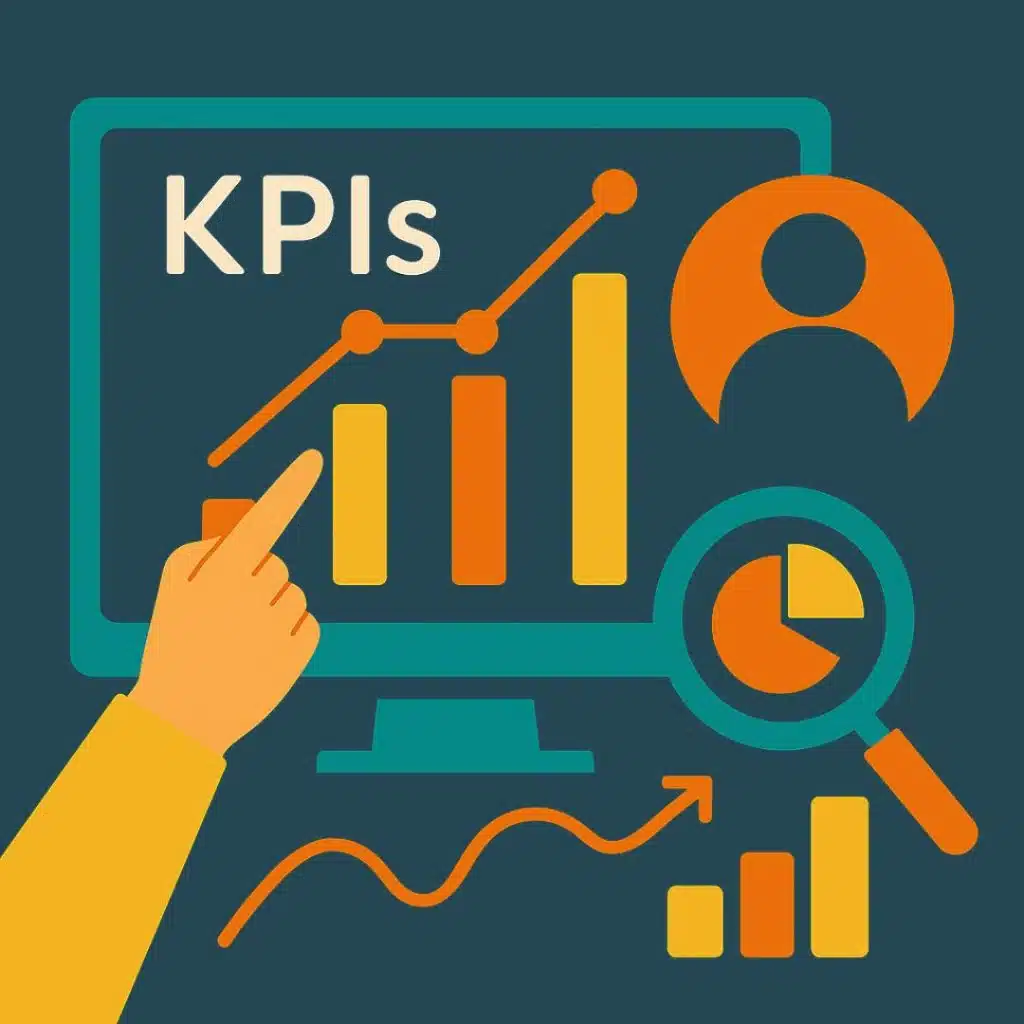
The numbers don't lie—and when you're optimizing your HubSpot CRM, certain metrics will tell the story of your success. You can see dramatic improvements across key performance indicators when companies fully commit to optimization, from lead response time to conversion to data entry time and more.
The most valuable metrics will always align with your specific business goals. Create a table of pre-optimization measures, a goal for post-optimization, and monitor your progress to identify any additional tweaks required post-optimization.
Continuous Optimization Loop
HubSpot CRM optimization isn't something you do once and forget about—it's an ongoing journey. The most successful companies accept a continuous improvement cycle that looks something like this:
First, monitor your key metrics through custom dashboards that provide visibility into what matters most. Then, regularly collect feedback from your team about what's working and what isn't. This human perspective is invaluable and complements your data-driven insights.
Quarterly, take time to conduct system audits that identify new opportunities for improvement. Based on what you learn, make minor, iterative tweaks rather than massive overhauls. And finally, stay current with HubSpot updates to leverage new features as they become available.
This approach creates a virtuous cycle where small improvements compound over time, leading to significant gains in efficiency, adoption, and ultimately, revenue.

Frequently Asked Questions about HubSpot CRM Optimization
How often should we audit our HubSpot data?
Data hygiene isn't a "set it and forget it" affair—it requires ongoing attention. We've found that a layered approach works best for most organizations:
Monthly quick-check audits catch the obvious issues like duplicate contacts and missing required fields before they pile up. Think of these as your regular household cleaning—just enough to keep things tidy.
Quarterly deeper reviews allow you to address more systematic issues and run focused cleanup campaigns. This is when you might tackle standardizing job titles or updating company information across your database.
Annual comprehensive audits examine everything: all properties, workflows, integrations, and user permissions. This is your spring cleaning—the perfect time to question whether each element of your setup still serves your business goals.
Of course, your specific needs may vary. If you're processing thousands of records daily or have multiple systems feeding into HubSpot, you might need more frequent check-ins. The key is consistency—regular maintenance prevents the kind of massive cleanups that drain resources and morale.
Which HubSpot tier is best for advanced automation?
This question reminds me of asking "what car should I buy?" without mentioning your budget, family size, or driving habits! The right HubSpot tier depends entirely on your specific needs, but here's a helpful framework:
The Starter tier works for basic automation needs related to form submissions. Forms allow you to create simple follow-ups and notifications. It's like having a compact car—it'll get you around town, but don't expect to haul much.
Professional tier meets most businesses' automation needs with multi-step workflows, branching logic, and more sophisticated triggers. This mid-size SUV can handle most terrain and carry what you need.
Enterprise tier opens up advanced capabilities and additional options like custom objects and predictive lead scoring. It's the luxury vehicle with all the bells and whistles—powerful but with a price tag to match.
Add Operations Hub to either Marketing Hub Pro or Marketing Hub Enterprise to really take optimization to the next level.
At The B2B Mix, we often help clients squeeze remarkable value from their current tier before recommending an upgrade. Sometimes clever workflow design or creative property usage can achieve what seems to require a higher tier. The real question isn't which tier is best, but how to optimize what you have right now.
How do we prove ROI from HubSpot CRM optimization?

Demonstrating the return on your hubspot crm optimization investment doesn't have to be complicated, but it does require intentional measurement. Here's how to build a compelling ROI story:
First, establish clear baselines before making changes. Document how long processes take, current conversion rates, and existing revenue metrics. Without this starting point, you'll never be able to show improvement.
Next, track time savings from your automation efforts. When a task that took 20 minutes now takes 2 minutes, and it happens 50 times weekly across 5 team members—that's substantial. Multiply those hours by average hourly rates to translate time into dollars.
To measure sales impact, consider pipeline improvements such as shorter sales cycles, higher conversion rates between stages, or increased lead-to-customer ratios. These directly affect your bottom line.
The most powerful metric is often calculated revenue impact. For example, if better lead routing means deals close 15% faster, or if improved nurturing increases average deal size by 10%, these translate directly to revenue gains.
Don't forget to document the qualitative benefits as well. Team satisfaction, reduced stress, better collaboration, and improved customer experience all contribute to long-term success, even if they're harder to quantify.
Most organizations achieve HubSpot CRM optimization ROI in three key areas: significant time savings (especially for repetitive tasks), increased conversion rates through improved lead management, and higher average deal values resulting from enhanced targeting and personalization. When you combine these benefits, the return often far exceeds the investment in optimization.
Conclusion
HubSpot CRM optimization is more than just tidying up your database or creating flashy reports. It's about fundamentally changing how your business connects with, serves, and keeps customers. When implemented thoughtfully, it establishes a solid foundation that drives sustainable growth and gives you a genuine competitive edge in the market.
The journey we've walked through together—from cleaning up messy data to customizing your setup, automating repetitive tasks, creating meaningful segments, and connecting your tech stack—represents a proven roadmap to CRM success. But here's the thing: you don't have to steer this path on your own.
At The B2B Mix, we roll up our sleeves and deliver hands-on, straightforward HubSpot managed services that produces tangible results. We don't believe in one-size-fits-all approaches or drowning you in technical jargon. Instead, we focus on practical solutions custom to your specific business challenges and goals.
You might be struggling with just one aspect of your HubSpot setup, or perhaps you're looking at a complete system overhaul. Either way, our team brings both the technical expertise and responsive support you need. We see ourselves not just as consultants who drop recommendations and disappear, but as genuine partners invested in your success.
Ready to open up the full potential of your HubSpot CRM? Please take a look at our fractional marketing team services or reach out directly to start a conversation about what you're trying to accomplish.
Remember this: Your CRM should make your life easier, not harder. With the right optimization approach, HubSpot can transform from a complicated tool into your most powerful ally for growth and exceptional customer experiences.