
The Digital Architecture Behind Successful Content
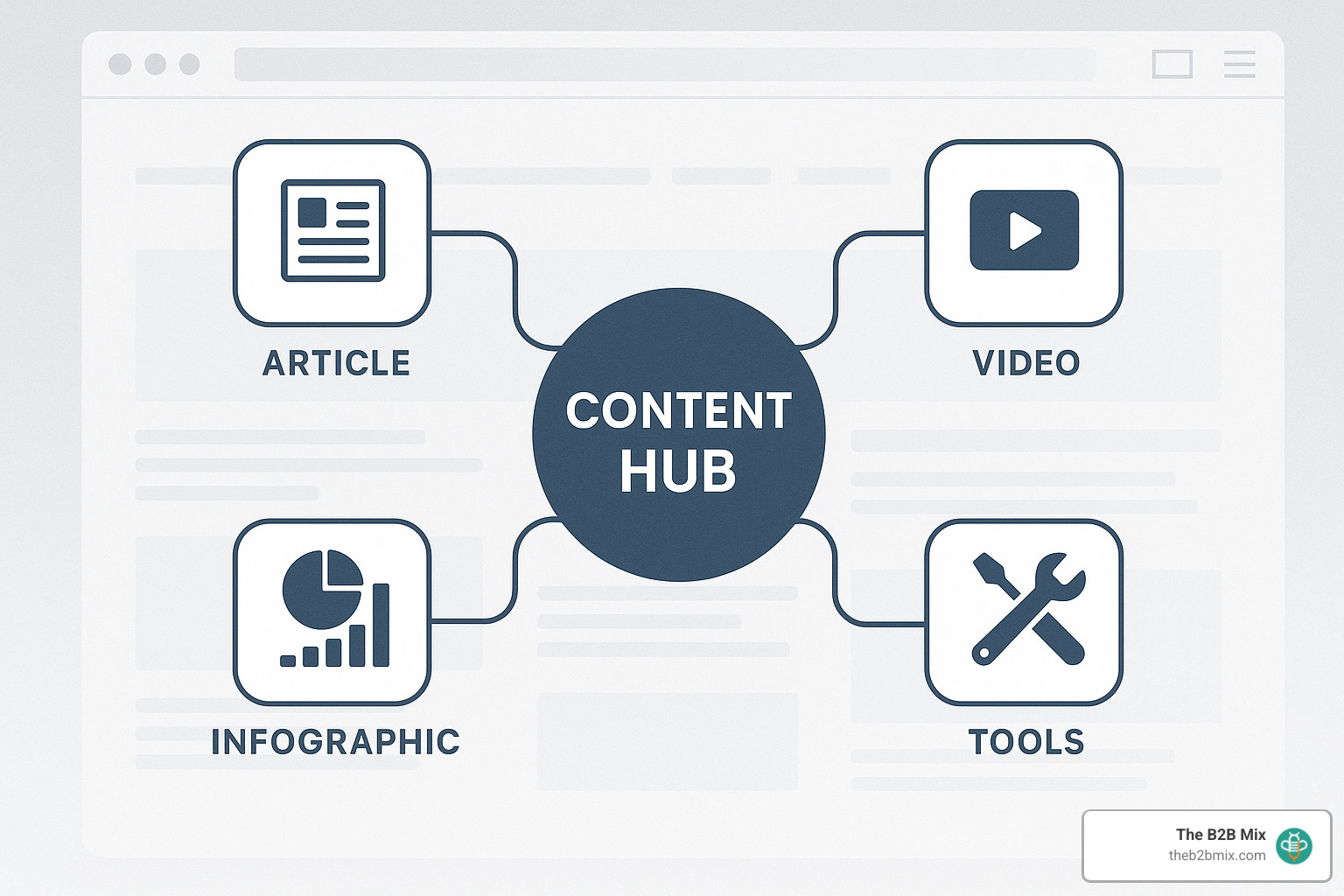
What is a content hub? A content hub is a centralized, strategically organized collection of related content on a specific topic or theme. It acts as a comprehensive resource for users, bringing together various content formats (articles, videos, infographics, tools) in a structured way that improves both user experience and search visibility.
Content Hub Definition at a Glance:
- Purpose: To educate audiences and establish topical authority
- Structure: Typically uses a hub-and-spoke or topic cluster model
- Content Types: Articles, videos, infographics, podcasts, tools, guides
- Organization: Intentionally structured rather than chronological
- Benefit: Improved user experience and stronger SEO performance
If you’ve ever felt overwhelmed by scattered content on your website, you’re not alone. With over 600 million blogs online and attention spans at an all-time low, standing out is tougher than ever. According to Backlinko’s analysis of 4 million Google search results, the top three search results capture 54.4% of all clicks, with the #1 spot alone getting nearly 28%.
Content hubs solve this problem by creating a purposeful architecture for your content. Unlike traditional blogs that display posts chronologically, content hubs organize information based on topics, user journey stages, or information needs.
Think of your content hub as a five-star restaurant rather than a buffet line. It guides visitors through a curated experience, anticipating what they want to see next and making navigation intuitive.
For marketers, this approach is a rare win-win: content hubs please both your audience and search algorithms. They centralize your expertise, making it easier for users to find what they need while signaling topical authority to Google.
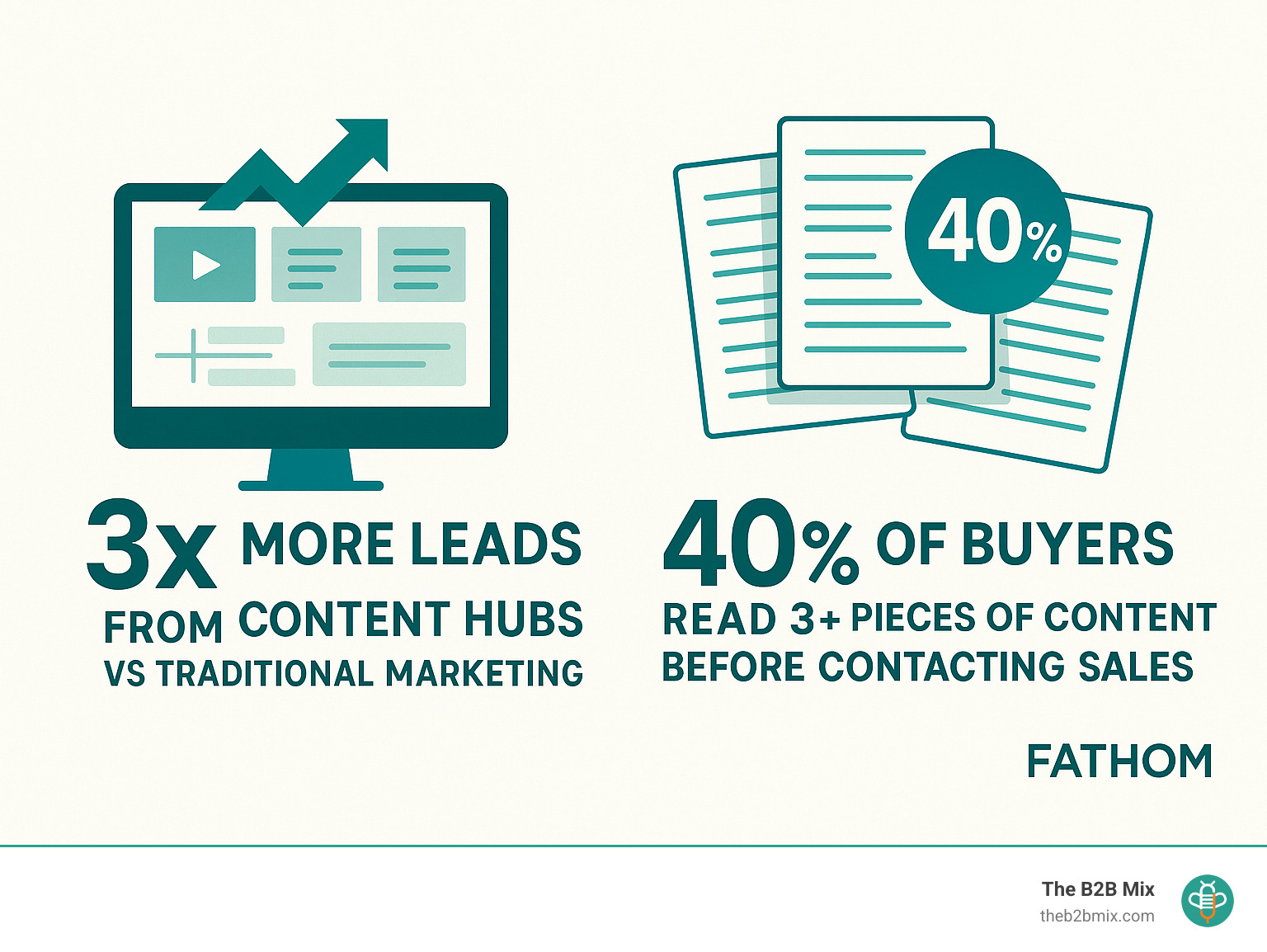
The strategic organization pays off. Companies implementing content hubs report generating three times more leads than traditional digital marketing approaches, and research shows 40% of B2B buyers read three or more pieces of content before reaching out to sales.
Ready to transform your scattered content into a powerful, organized resource center? Let's explore how content hubs work and how to build one that delivers real results.
What is a Content Hub?
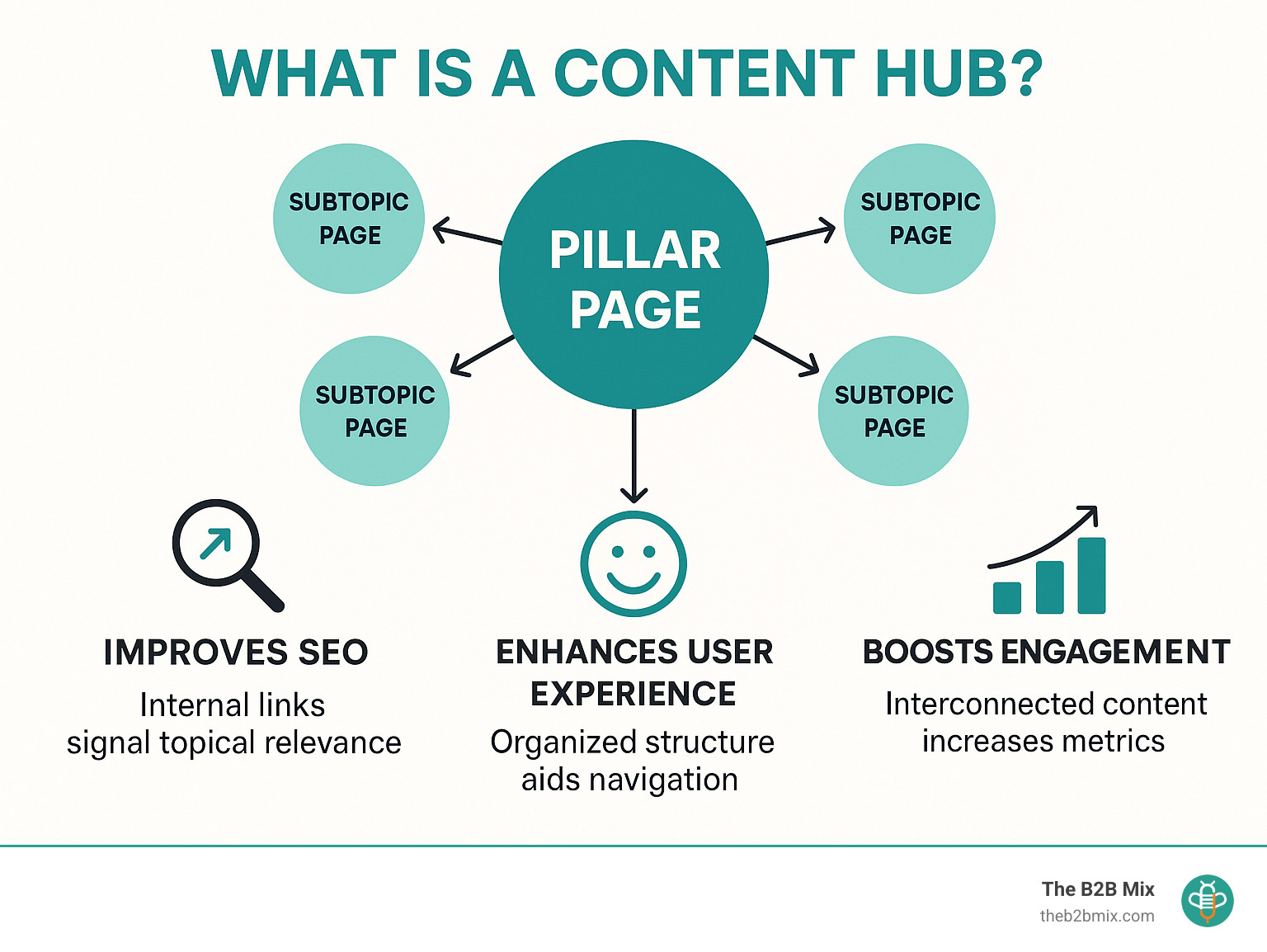
What is a content hub? At its heart, a content hub is your brand's knowledge headquarters—a thoughtfully organized collection of resources centered around a specific topic or theme. Unlike random blog posts scattered across your website like puzzle pieces without a picture, a content hub brings everything together in one intuitive, user-friendly space.
Consider it your digital library where visitors can explore everything you know about a subject. The beauty of a content hub lies in its variety—it's not just articles, but a rich mix of content formats that appeal to different learning preferences:
Blog articles serve as the foundation, while videos and webinars bring concepts to life. Infographics provide visual summaries for quick understanding, and podcasts offer hands-free learning. Downloadable guides, interactive tools, case studies, and FAQs round out the experience, giving visitors multiple ways to engage with your expertise.
What truly sets a content hub apart is its intentional architecture. Most successful hubs use either a hub-and-spoke model (where a comprehensive pillar page connects to more specific subtopics) or a topic cluster approach (with interconnected content pieces organized around a central theme).
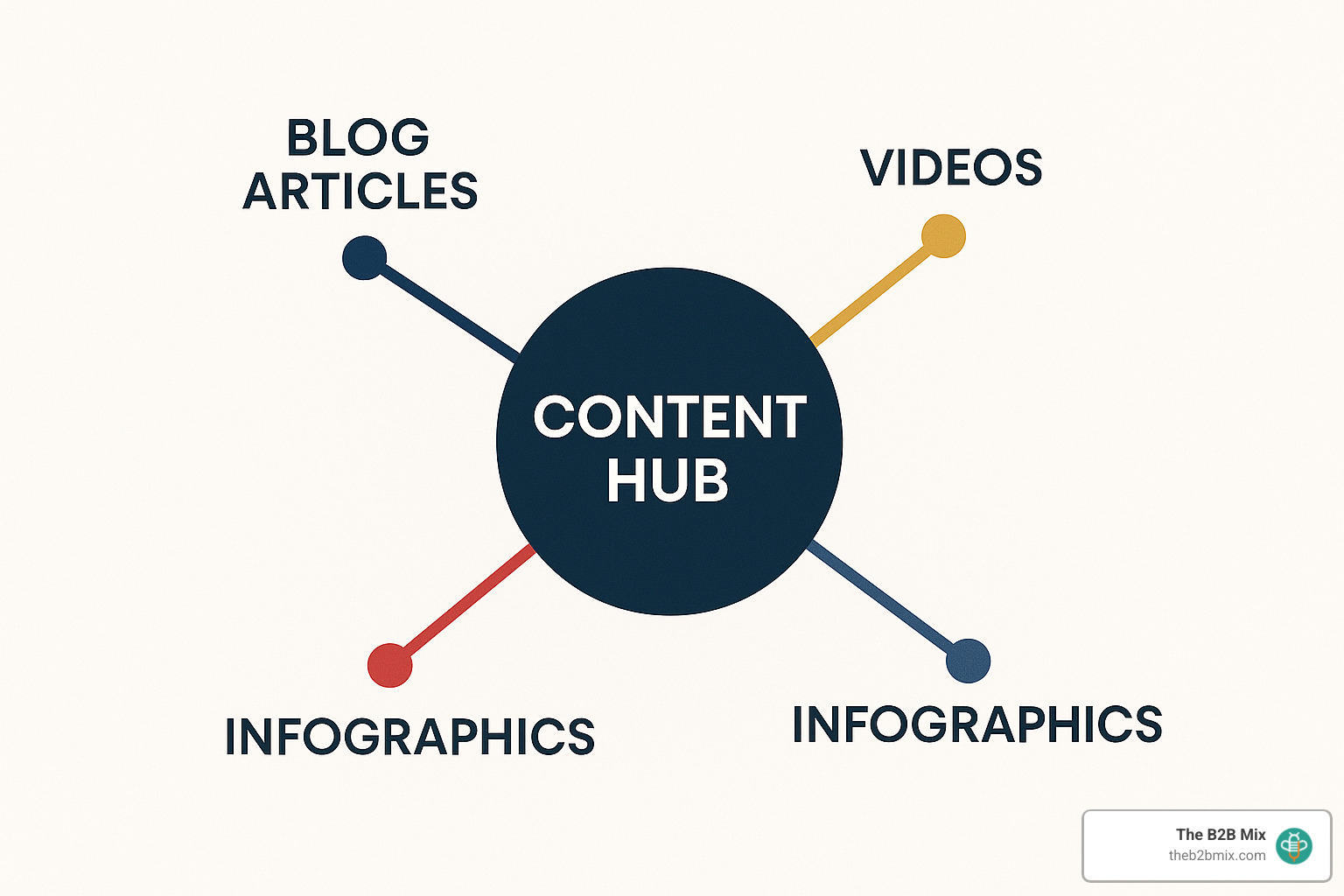
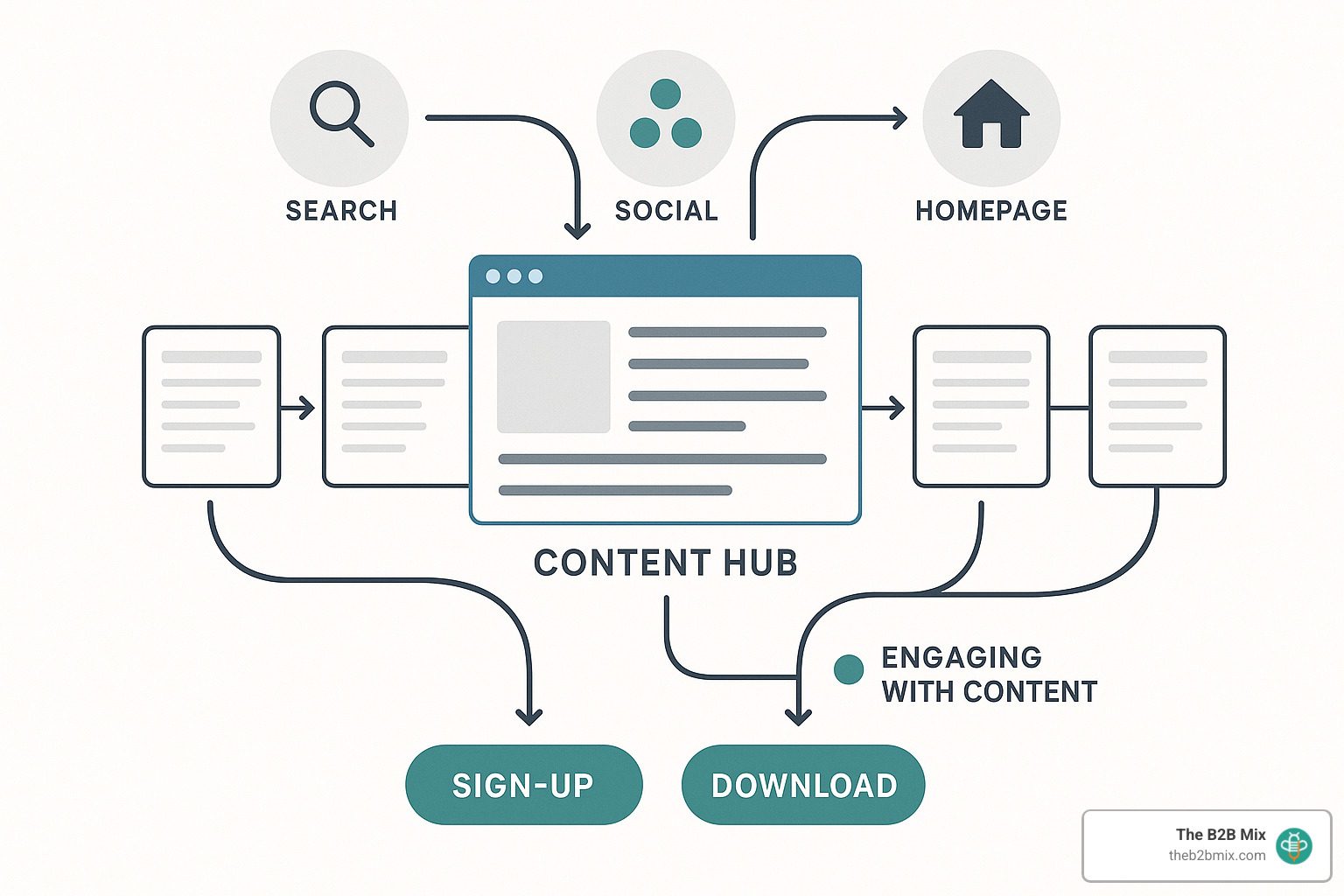
The secret sauce of effective content hubs is strategic internal linking. Each resource naturally connects to related content, creating a web of information that both humans and search engines can steer with ease. This interconnectedness keeps visitors engaged longer and signals topical authority to Google.
One crucial point to remember: content hubs are primarily educational, not promotional. While they absolutely support your marketing goals, their primary purpose is to inform and build trust. As the saying goes, "A content hub's primary goal is trust and relationship building rather than direct sales."
How a Content Hub Differs From a Blog or Microsite
Blogs, microsites, and content hubs might seem similar at first glance, but they serve distinctly different purposes in your digital ecosystem:
Blogs typically present content in reverse chronological order—newest posts first. This works wonderfully for company updates or industry news but creates a frustrating experience for someone seeking comprehensive information on a specific topic. Imagine trying to piece together a complete picture from 100+ weekly posts organized only by date—it's like asking your visitors to solve a puzzle just to learn from you.
Microsites operate as separate websites focused on specific campaigns, products, or initiatives. Living outside your main domain, they often have a limited lifespan tied to particular marketing efforts—more like a pop-up shop than a permanent store.
Content hubs, by contrast, organize information by topic rather than timeline. They map directly to what your users are trying to learn or accomplish. A well-designed hub lives within your main website, strengthening your domain authority while providing a structured, intuitive experience for visitors.
Here's how these approaches stack up against each other:
| Feature | Blog | Microsite | Content Hub |
|---|---|---|---|
| Organization | Chronological | Campaign-based | Topical/Thematic |
| Lifespan | Ongoing | Temporary | Evergreen |
| SEO Impact | Diluted | Separate domain | Concentrated authority |
| User Experience | Timeline browsing | Campaign focus | Topic exploration |
| Primary Purpose | Updates & news | Campaign conversion | Education & authority |
| Internal Linking | Limited | Self-contained | Extensive & strategic |
What is a Content Hub? vs Pillar Page
People often use these terms interchangeably, but there's an important distinction:
A pillar page is a single, comprehensive resource that covers a broad topic in depth. It's like the foundation of a house—substantial and supporting everything else. A great pillar page serves as the cornerstone for a topic cluster, linking out to more specific subtopic pages that explore individual aspects in greater detail.
A content hub, however, is the entire ecosystem—the house and the neighborhood. It includes the pillar page plus all the related subtopic content, multimedia resources, tools, and various content formats that collectively create a complete learning experience. The hub isn't just one page but the entire interconnected content network.
In many successful implementations, a pillar page serves as the main landing page or "home base" of a content hub, but the hub extends well beyond this single page. Think of the pillar page as your front door, while the content hub is everything behind it—all the rooms, furniture, and helpful items that make the house functional and welcoming.
What is a content hub? It's your brand's strategic approach to organizing topic-related content into an interconnected ecosystem that guides users through a comprehensive learning journey while demonstrating your expertise to both visitors and search engines.
Choosing the Right Content Hub Model
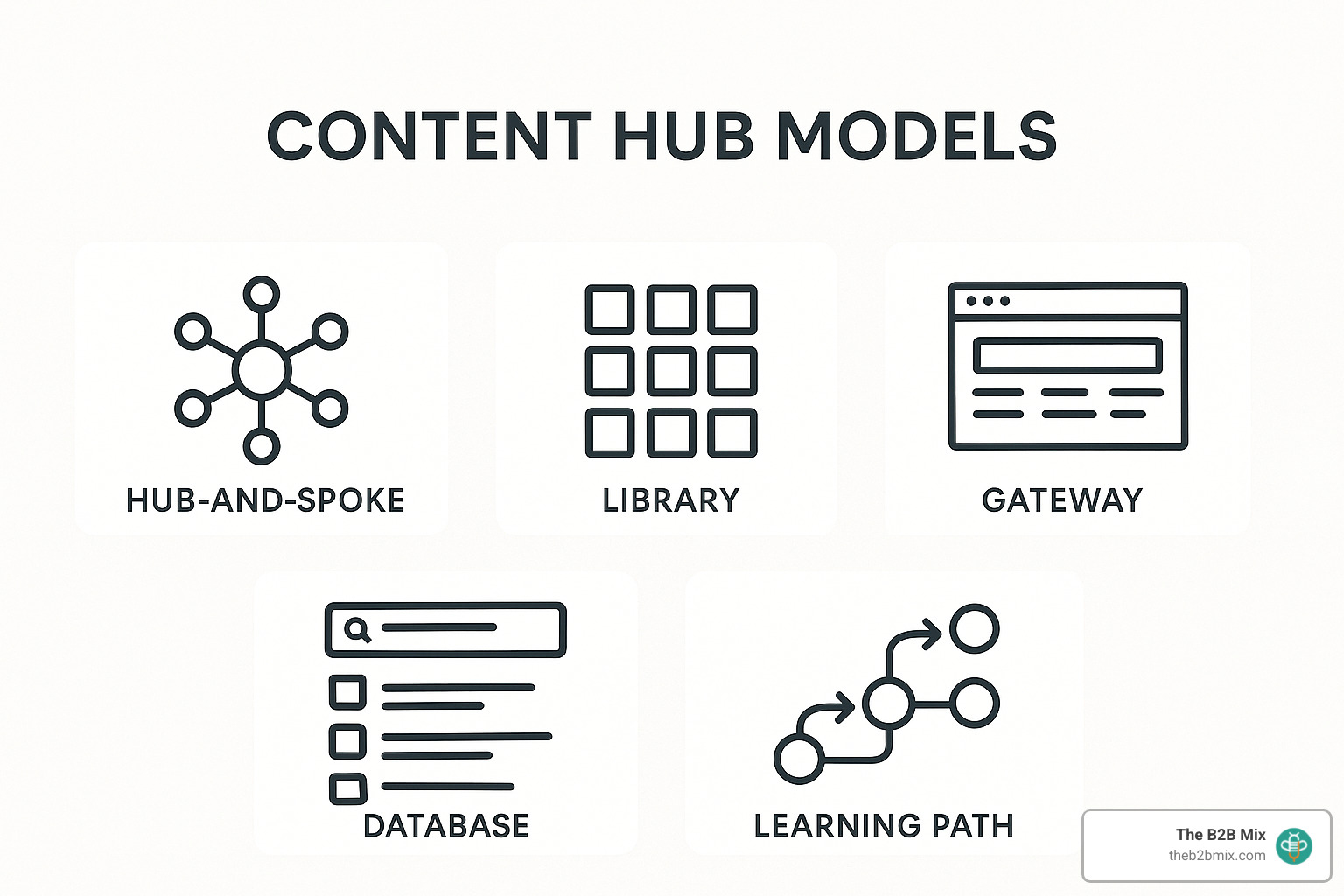
Not all content hubs are created equal. Different organizational models might work better for your specific needs depending on your goals, audience, and content volume. Let's explore the five main types of content hub structures:
Classic Hub-and-Spoke—Fastest Start
The hub-and-spoke model is like the friendly neighborhood of content structures—familiar, approachable, and easy to steer. It features a central "hub" page that welcomes visitors with a comprehensive topic overview, then connects them to "spoke" pages that dive deeper into specific subtopics.
Think of it as the content equivalent of a wheel—strong, efficient, and surprisingly simple to build. Your hub page introduces the main topic and points visitors in various directions, while each spoke delivers specialized knowledge on a particular aspect. The beauty lies in how everything connects: spokes link back to the hub and to other relevant spokes, creating a web of content that both users and search engines love.
This model works wonderfully for companies just dipping their toes into content hub waters or those with clearly defined topic territories. Moz's Beginner's Guide to SEO is a perfect example—the main guide serves as the welcoming hub, while individual chapters on keyword research, on-page optimization, and link building act as the supportive spokes.
Content Library—Resource Powerhouse
A content library is your digital equivalent of a well-organized bookshelf—categorized, labeled, and designed for browsing. This model shines when you have diverse content formats that users might want to filter through based on their specific needs.
Your library becomes a self-service knowledge center where visitors can easily find what they're looking for through intuitive categories, format filters, and search functionality. The emphasis here is on findability—making it easy for users to find exactly what they need without getting lost in content overwhelm.
This approach works brilliantly for companies with substantial content collections or those offering educational resources across various formats. HubSpot's Resource Library exemplifies this model beautifully, organizing marketing, sales, and service resources into browsable categories with smart filtering options for content type, topic, and industry. Visitors can quickly zero in on templates, guides, or tools that match their specific situation.
Topic Gateway—Rolling Feed
A topic gateway combines the best of both worlds—the stability of evergreen content with the freshness of new developments. It's like Wikipedia meets your favorite news site, providing both foundational knowledge and the latest updates in one convenient location.
The gateway structure features a comprehensive, relatively static introduction to your topic, followed by a dynamic feed of recent or featured content. This approach allows you to maintain relevance in fast-moving industries while still providing the educational foundation your audience needs.
This model serves news publishers, industry analysts, or organizations covering evolving topics particularly well. Think with Google exemplifies the topic gateway approach, offering timeless marketing principles alongside fresh research, emerging trends, and new tools. Visitors benefit from both fundamental knowledge and cutting-edge insights in one cohesive experience.
Content Database—Scalable Index
A content database becomes your best friend when your content collection reaches hundreds or thousands of similar items. This model prioritizes powerful search and consistent taxonomy to help users find exactly what they need within vast content libraries.
Rather than browsing through categories, visitors to a content database typically search first, then refine their results through robust filtering options. Each content piece is carefully tagged with consistent metadata, creating a highly searchable index that scales beautifully as your content grows.
Organizations with extensive similar content items—like product documentation, medical information, or industry directories—benefit most from this approach. Healthline's Conditions section demonstrates this model effectively, allowing users to search and filter through hundreds of medical conditions, each with its own detailed page covering symptoms, treatments, and related information.
Learning Path—Sequential Courses
A learning path takes your audience by the hand and guides them step-by-step through a structured educational journey. Rather than letting users wander freely, this model creates a sequential progression that builds knowledge incrementally, perfect for complex topics that require foundational understanding before tackling advanced concepts.
The magic of learning paths lies in their thoughtful sequence and progress tracking. Content modules build logically on previous knowledge, and completion indicators help users see their progress and stay motivated. This approach transforms passive content consumption into an active learning experience.
This approach greatly benefits educational content, product training, or complex topics with clear learning progressions. Salesforce Trailhead exemplifies the learning path model, organizing content into trails, modules, and units that guide learners from fundamentals to advanced techniques, complete with badges and points to gamify the experience.
When selecting your content hub model, consider your content volume, audience behavior, topic complexity, management resources, and engagement goals. The best part? These models aren't mutually exclusive—you can borrow elements from different approaches or evolve your structure as your content collection grows. For examples of diverse collection sites, the Digital Collection Sites from the Library of Congress offer inspiration for organizing vast content repositories.
The right model isn't about following a trend—it's about creating the most intuitive path for your specific audience to find exactly what they need, when they need it.
Benefits: UX, SEO & Business Impact
Content hubs deliver a triple threat of benefits across user experience, search visibility, and bottom-line results. When done right, they transform scattered content into a strategic asset that works harder for your business.
How Content Hubs Boost SEO
Ever wonder why some websites consistently dominate search results for their industry topics? Content hubs are often their secret weapon.
By creating comprehensive resources on specific topics, you signal to Google that you're a genuine authority in that space. This directly supports what search engines are looking for in terms of expertise, authoritativeness, and trustworthiness (E-A-T).
The internal linking structure within your hub creates a powerful network effect. When one page performs well or earns valuable backlinks, that authority flows throughout your connected content ecosystem. It's like having each piece of content support the others, rather than competing for attention.
Search engines also appreciate the context that content hubs provide. By grouping related content together, you help Google understand the relationships between topics, making it easier for your pages to rank for related keywords and semantic variations.
There's a practical benefit too – crawl efficiency. With clear pathways and logical organization, search engines can find and index all your valuable content more effectively. No more valuable insights buried where no one will find them!
Perhaps most exciting is how content hubs create perfect opportunities for featured snippets. By comprehensively answering common questions, your content becomes prime real estate for those coveted position-zero placements above organic listings.
User Experience & Engagement Wins
What is a content hub if not a better way to serve your audience? While SEO benefits are compelling, the real magic happens in how content hubs transform the user experience.
Rather than forcing visitors to steer by publication date (which makes sense to absolutely no one except the person who published it), content hubs guide users through information based on their actual interests and needs. This intuitive navigation keeps people engaged longer and helps them find exactly what they're looking for.
The interconnected nature of content hubs naturally reduces bounce rates. When a visitor finishes one helpful article and sees related resources clearly linked, they're more likely to continue exploring. These deeper journeys build trust and position your brand as the go-to resource in your space.
Content hubs also allow for task-based organization. Instead of making users hunt through chronological posts, you can structure content around specific challenges they're trying to solve. This problem-focused approach creates a more useful experience that aligns with how people actually search for information.
More sophisticated hubs can even leverage user behavior data to recommend relevant content, creating personalized journeys that keep visitors coming back for more. You gain valuable insights into their interests and needs as they interact with multiple pieces of content.
Revenue & Lead Generation Upside
All these improvements in user experience and search visibility translate to real business results – the kind that make your CFO smile.
When you organize your expertise into a content hub, you’re not just publishing content—you’re building a magnet for qualified visitors. Studies show that buyers are far more likely to engage and convert when they find a well-structured resource center that answers their questions and guides their journey. That’s the real power behind content hubs: they attract, educate, and nurture leads who are already interested in what you offer.
According to a 2023 Demand Gen Report study, 71% of B2B buyers engage with multiple content assets to aid the decision-making process. Additionally, an equal number or respondents indicated that they share the content with multiple members of their teams. Content hubs support this multi-touch journey by organizing resources in one place, making it easy for prospects to find the information they need and move confidently toward a purchase decision.
By keeping prospects engaged longer, content hubs extend the customer journey and create more nurturing opportunities. Each piece of content builds upon the last, gradually establishing your brand as the trusted authority in your space.
Perhaps most importantly, content hubs dramatically improve the ROI of your content investments. Rather than creating one-off pieces that quickly disappear into the archive, you're building an interconnected resource that continues delivering value over time. New content strengthens existing content, and vice versa, creating a compounding effect that standalone pieces simply can't match.
When visitors see you've invested in creating comprehensive, thoughtful resources rather than just churning out blog posts, they're more likely to see you as a serious partner worth considering for their business needs.
Building & Maintaining Your Content Hub
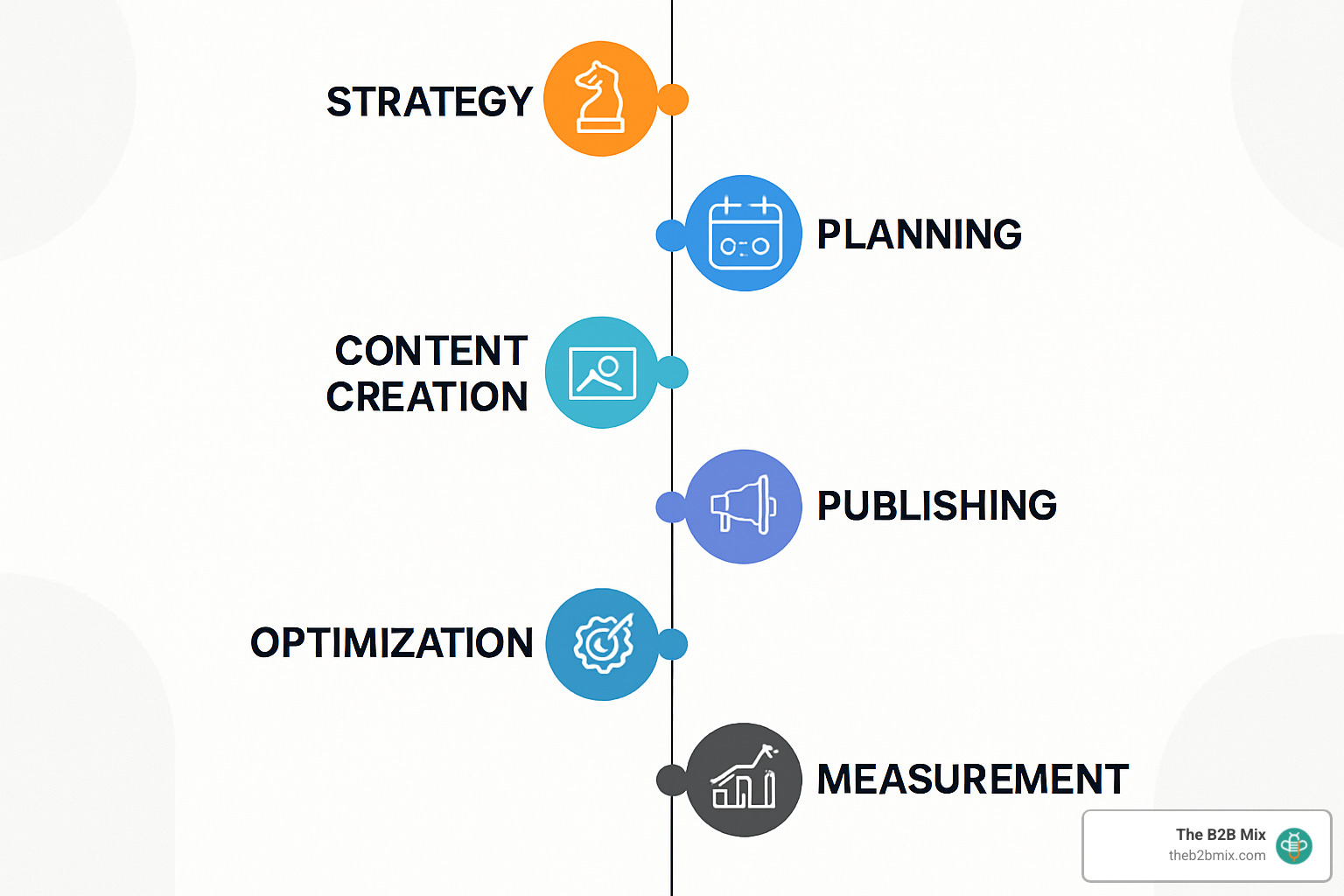
Creating an effective content hub isn't a "set it and forget it" project—it's a strategic journey that evolves with your business and audience needs. Let's walk through how to build a content hub that actually delivers results:
Step 1 – Define Goals, Personas & Topics
Every great content hub starts with clarity about what you're trying to achieve and who you're trying to reach.
Begin by setting specific, measurable objectives for your hub. Are you looking to boost organic traffic by 30%? Generate 50 qualified leads per month? Become the go-to resource in your industry niche? Your goals will shape everything from content selection to design decisions.
Next, develop detailed audience personas that capture not just demographic information but psychographic insights too.
- What keeps your ideal customers up at night?
- What questions are they typing into Google at 2 AM?
- What information would make their jobs easier?
With your audience clearly defined, it's time to map out your keyword universe. Tools like SEMrush, Ahrefs, and AnswerThePublic can reveal the exact language your audience uses when searching for solutions. Look beyond high-volume terms to find those specific, intent-rich phrases that signal someone is actively seeking information you can provide.
Remember to align your content with different stages of the buyer's journey. Someone just becoming aware of a problem needs different information than someone comparing solutions or making a final decision.
At The B2B Mix®, we will create a simple one-page strategy document that brings together goals, audience insights, and topic priorities. This becomes your North Star when content creation gets complex.
Step 2 – Audit & Repurpose Existing Content
Before you start creating new content, take stock of what you already have. Most companies are sitting on a goldmine of existing materials that can be refreshed and repurposed.
Start with a comprehensive content inventory that catalogs every blog post, whitepaper, webinar, video, and social post related to your hub topics. Note each piece's current performance, topic relevance, and quality.
Next, conduct what we call a ROT analysis – identifying content that's Redundant, Outdated, or Trivial. This helps you decide what to update, what to combine, and what to retire completely.
The audit process typically reveals significant content gaps where you're missing opportunities to address important audience questions or needs. These gaps become priorities in your content creation plan.
Don't underestimate the power of content repurposing. That comprehensive guide might break down into several focused blog posts. That webinar recording could become a podcast episode or an animated explainer video.
This audit stage is absolutely critical—especially since about 80% of companies outsource at least some content creation, often leading to inconsistencies and duplication. A thorough inventory helps you make the most of your existing investments while identifying the most valuable opportunities for new content.
For a structured approach to this process, our Content Inventory & Audit Checklist walks you through each step in detail.
Step 3 – Select Your Hub Model & Information Architecture
With your content mapped out, it's time to create the structure that will house it all. This is where your content hub takes shape.
First, choose the hub model that best fits your content volume and audience needs. Remember the models we discussed earlier: hub-and-spoke for focused topics, content library for diverse resources, topic gateway for evolving subjects, content database for large collections, or learning path for sequential education.
Your URL structure should reflect your content organization. Create a logical hierarchy that both users and search engines can easily understand. For example, if your main topic is content marketing, your URLs might follow patterns like /content-marketing/strategy/ and /content-marketing/measurement/.
Plan your navigation pathways carefully. How will users move through your hub? Consider primary navigation elements, search functionality, filtering options, and related content suggestions. The easier it is for users to find what they need, the more successful your hub will be.
Don't overlook the power of schema markup – this structured data helps search engines better understand your content relationships and can significantly improve how your pages appear in search results.
Finally, develop a consistent taxonomy and tagging system that supports content findy. Well-planned categories and tags make filtering possible and help surface related content at just the right moment.
Even sites like Wikipedia can serve as helpful models for how to structure a comprehensive information hierarchy that scales as your content grows.
Step 4 – Create & Optimize Content
Now comes the exciting part – bringing your content hub to life with compelling, valuable content.
Start by developing detailed content briefs for each piece. These should include target keywords, user intent, key points to cover, and how the piece fits into your larger hub structure. Good briefs lead to better content and fewer revisions.
Begin with your pillar content – those comprehensive resources that will serve as the foundation of your hub. These cornerstone pieces should thoroughly cover your main topics and link to more specific subtopic content.
Remember to diversify your formats to engage different learning preferences. Some people prefer reading, others want to watch videos, and still others might prefer interactive tools or downloadable templates. A mix of formats keeps your hub engaging and accessible.
Every piece of content should be fully optimized for search, including strategic keyword usage, descriptive titles and meta descriptions, proper header structure, and thoughtful internal linking. These technical elements help search engines understand and rank your content.
Make sure your content is accessible to everyone, including people with disabilities. Use alt text for images, provide transcripts for audio and video content, and follow web accessibility best practices.
Maintain brand consistency across all content pieces. Your voice, visual style, and quality standards should remain consistent regardless of format or topic.

Step 5 – Launch, Promote & Distribute
Even the most amazing content hub won't deliver results if nobody knows it exists. You need a strategic approach to promotion and distribution.
Start by integrating your hub into your main site navigation. This signals its importance to both users and search engines while ensuring visibility for site visitors.
Develop a comprehensive promotion strategy that leverages all your marketing channels. This might include email newsletters, social media campaigns, industry partnerships, and even paid advertising for high-value content.
Consider creating a coordinated launch campaign to generate excitement and drive initial traffic to your new hub. This might include teaser content, influencer outreach, and special promotions.
Make it easy for users to share your content by including social sharing buttons and ensuring your meta data creates attractive social snippets when content is shared.
Don't forget about backlink building. Identify opportunities to earn quality backlinks through outreach, guest posting, and creating truly link-worthy resources that others in your industry will want to reference.
For some content, content syndication on industry publications or platforms can extend your reach while driving traffic back to your hub. Just be sure to follow SEO best practices to avoid duplicate content issues.
Promotion isn't a one-time effort but an ongoing process. Each new content piece presents a fresh opportunity to drive traffic to your hub.
Step 6 – Measure & Improve Continuously
A truly effective content hub is never "finished" – it's constantly evolving based on performance data and user feedback.
Establish a regular cadence for tracking key metrics including organic traffic, engagement metrics (time on page, pages per session), conversion rates, and backlink growth. These metrics help you understand what's working and what needs improvement.
Go beyond basic analytics by analyzing user behavior with tools like heat mapping, scroll depth analysis, and user recordings. These qualitative insights reveal how people actually interact with your content.
Don't be afraid to directly ask for feedback through surveys, comments, and social listening. Your audience will tell you what they need if you make it easy for them to share their thoughts.
Schedule quarterly content audits to identify underperforming content that needs refreshing or consolidation. Content that once performed well may need updating as industry trends evolve.
Continuously test and optimize different elements of your hub, from layouts and headlines to calls-to-action and content formats. Small improvements can lead to significant performance gains over time.
Keep your content fresh and current by regularly updating statistics, examples, and recommendations to reflect the latest developments in your industry.
At The B2B Mix, we help clients set up custom HubSpot dashboards to track content hub performance and identify optimization opportunities. This ongoing measurement isn't just about proving ROI—it's about continuously improving the value you deliver to your audience and your business.
FAQs & Common Pitfalls
Content hubs aren't just fancy website sections—they're strategic assets that serve several important purposes in your digital ecosystem.
First and foremost, education sits at the heart of every successful content hub. Your audience is looking for answers and insights, not sales pitches. A well-designed hub delivers valuable information that helps visitors solve real problems or answer pressing questions.
By creating comprehensive resources around your area of expertise, you're also building authority in your field. This isn't just good for your brand image—it establishes the trust that eventually leads to business relationships. As we often tell our clients at The B2B Mix, "You have to earn the right to sell by teaching first."
Engagement is another crucial goal. Rather than having visitors bounce after viewing a single page, content hubs create natural pathways for deeper exploration. Those "you might also like" sections aren't just decorative—they're engagement engines that keep visitors finding more of your valuable content.
Of course, content hubs also support lead generation by attracting the right people to your site. When someone spends time exploring multiple resources in your hub, they show genuine interest in your business-related topics. These engaged visitors are far more likely to convert than random traffic.
Finally, a well-structured content hub dramatically improves your SEO performance. The topical authority, strategic internal linking, and comprehensive coverage signal to search engines that you're a valuable resource worthy of higher rankings.
The magic happens when you balance these goals, focusing primarily on delivering value while thoughtfully supporting your business objectives.
Try a tiered approach to maintenance:
For monthly updates, aim to add new content or refresh existing pieces to keep your hub current. Even small updates signal freshness to search engines and give regular visitors reasons to return. This doesn't have to be overwhelming—even updating statistics or adding new examples to existing content counts.
Quarterly audits should be more thorough. Set aside time every three months to review performance metrics across your hub. Which pieces are underperforming? What information has become outdated? Where are there gaps in your coverage? This quarterly rhythm helps you stay proactive rather than reactive.
Your industry's pace of change should influence your update frequency. If you're in a rapidly evolving field like AI or digital marketing, you might need monthly or even weekly updates to stay current. More stable industries might require less frequent refreshes.
Don't forget about event-driven updates. When major developments happen in your industry, algorithm changes affect search rankings, or news events impact your content's accuracy, be ready to make immediate updates. Nothing undermines authority faster than outdated or incorrect information.
At The B2B Mix, we help clients create content calendars that balance creating new content with maintaining existing assets. This planned approach ensures your hub stays fresh without overwhelming your team.
Measuring content hub performance isn't about finding a single magic number—it's about tracking multiple signals that together tell the story of your hub's impact.
Organic traffic is the most obvious metric. If your SEO strategy is working, you should see steady growth in visitors finding your hub through search. But raw traffic numbers only tell part of the story.
Engagement metrics reveal whether visitors find your content valuable once they arrive. Are they spending time with your content (time on page), exploring multiple resources (pages per session), and finding what they need (reduced bounce rate)? These signals help distinguish between casual visitors and engaged learners.
Scroll depth offers insight into content consumption. If visitors are making it 75% down your pages, they're likely reading most of your content. If most drop off after 25%, you might need to rethink your content structure or opening paragraphs.
Don't overlook assisted conversions. Content hub pages often play a crucial role early in the buyer's journey, even if they're not the last page visited before conversion. Make sure your analytics setup captures these important touchpoints.
Backlink growth serves as external validation. When other sites link to your hub content, it signals that others in your industry find your resources valuable enough to reference.
Featured snippets and other improved search results indicate that search engines view your content as particularly authoritative and helpful. Track when your content earns these coveted positions.
Keyword rankings should improve for terms related to your hub topics as you build authority. Monitor your position for both high-volume competitive terms and longer-tail phrases.
Finally, return visitors indicate you're building a loyal audience. A successful hub doesn't just attract new visitors—it brings people back repeatedly as they come to trust your expertise.
The metrics you prioritize should align with your original goals. A thought leadership hub might focus more on engagement and backlinks, while a lead generation hub would emphasize conversion metrics. What matters is that you're tracking the right signals for your specific objectives.
Conclusion
Content hubs represent a strategic approach to content organization that benefits users and search engines. You create a valuable resource that attracts, engages, and converts your target audience by centralizing your expertise in a structured, navigable format.
The key to success lies in thoughtful planning, consistent execution, and ongoing optimization. Start with a clear strategy based on audience needs and business goals. Choose the right hub model for your content and audience. Create high-quality, interconnected content that delivers real value. And continuously measure and improve your hub based on performance data and user feedback.
While building a comprehensive content hub requires investment, the returns are substantial: stronger SEO performance, deeper audience engagement, improved brand authority, and more efficient lead generation.
You don't need to build a massive content hub overnight. Start small and think big; that is the smarter approach. Begin with your core topics and highest-value content, then expand gradually based on performance data and audience feedback. This prevents overwhelm and allows you to learn what works best for your audience.
Ready to Create a Content Hub?
Ready to create a content hub that serves as your ultimate marketing asset? Check out our Content Operations Framework: A Guide for B2B Teams to get started, or reach out to discuss how we can help streamline your content operations and build a hub that delivers real results.
The journey to better-organized, more compelling content starts with a single step—changing content chaos into strategic architecture that works harder for your business. And remember, the most successful content hubs aren't static repositories but living resources that grow and evolve alongside your business and your audience's needs. With continuous optimization, your content hub can become the centerpiece of your digital strategy, drawing in visitors and converting them into loyal customers for years to come.