

Making Sense of Your Digital Content: The Content Inventory Guide
Ever feel like your website content is scattered across a digital wilderness with no map to guide you? You're not alone. That's where a content inventory comes to the rescue.
A content inventory for your website is essentially your digital content's home address book—a comprehensive listing of all content assets on your website, neatly organized in a structured format (typically a spreadsheet) that captures key information about each page, post, or asset for analysis and strategic planning.
Think of it as taking stock of your digital pantry before planning your next content feast. Without knowing what ingredients you already have, how can you possibly know what to cook next?
Here's the lowdown on content inventories:
Your inventory captures the "what" and "where" of your content—documenting URLs, titles, metadata, and other critical attributes in one central location. Its purpose is beautifully simple yet powerful: to understand what content exists, where it lives, and how it's performing.
Most teams create these inventories using familiar tools like Google Sheets or Excel, although specialized software is available for larger operations. Your typical inventory tracks essential elements, including URLs, page titles, publish dates, content types, topics, content owners, and performance metrics.
The benefits are substantial—from supporting website redesigns and content audits to informing SEO planning and establishing proper governance.
As marketing expert Pam Moore of Marketing Nutz aptly puts it: "Oftentimes [marketers] already have treasure troves of content within their organizations. The challenge is that they are unaware of their presence. Knowing what content you have that can be leveraged to drive a positive ROI is critical."
Sound familiar? We've all been there. A colleague asks about "that blog post from last year about industry trends," and you're left scrambling through folders and search bars. Or perhaps you're staring down a website redesign but have no clear picture of what content deserves to make the journey to your new digital home.
A website content inventory is the foundation for all strategic content work. It's impossible to make informed decisions about creation, optimization, or removal without first knowing what you already have. It's like trying to clean out your closet in the dark—you need to see what's there before deciding what stays and what goes.
The challenge, of course, is keeping it current. Manual inventories quickly become outdated as new content publishes and old content changes. This is why many forward-thinking teams now use specialized software to automatically track and update their inventories, providing an always-current snapshot of their website structure and content assets.
Whether you're preparing for a migration, conducting an SEO audit, ensuring compliance, or simply trying to bring order to digital chaos, a content inventory is your essential first step toward content clarity.
What Exactly Is a Content Inventory?
Ever opened a drawer you haven't checked in months, only to find things you completely forgot you owned? That's exactly what happens with website content – except the stakes are much higher. A content inventory is your digital stocktaking tool that prevents this content amnesia.
At its core, a website's content inventory is a quantitative catalog that documents every piece of content on its digital property. It's like creating a comprehensive map of its content ecosystem so you never lose track of what you have.
This inventory typically captures all your digital assets, including webpages, blog posts, downloadable resources, media files, landing pages, product descriptions, and support documentation. Each entry contains essential metadata – think of it as an ID card for each content piece – showing titles, descriptions, publish dates, and other critical attributes.
As the experts at Nielsen Norman Group explain: "A content inventory is a list of every piece of digital content you currently have, captured at either the page or asset level."
Why Every Site Needs One
Even a modest website can accumulate hundreds of content pieces faster than you might realize. Without proper inventory management, valuable content becomes invisible, forgotten, or worse – problematic. Here's why implementing a content inventory for your website is essential for any business:
Strategic Content Planning helps you visualize your entire content landscape at once. This bird's-eye view reveals gaps in your content coverage, highlights opportunities for new topics, and ensures you're addressing your audience's needs comprehensively. Think of it as your content strategy blueprint.
Brand Consistency Control becomes much easier when you can see all your content in one place. After a rebrand or messaging update, your inventory helps ensure your new voice and visual elements are consistently implemented across every page. No more outdated logos hiding on forgotten pages!
Website Migration Preparation is virtually impossible without a proper inventory. When moving to a new CMS or redesigning your site, your content inventory serves as the master checklist, ensuring nothing valuable gets left behind. It helps you make informed decisions about what to keep, update, or retire.
SEO Performance Optimization gets a significant boost from a well-maintained inventory. Your spreadsheet becomes a powerful tool for identifying keyword cannibalization issues, thin content needing expansion, high-potential pages requiring optimization, and outdated content due for refreshing.
Compliance and Risk Management become streamlined with a comprehensive inventory, especially for businesses in regulated industries. When regulations change, you can quickly identify and update all affected content rather than wondering if you missed something important.
Key Elements to Track in Your Spreadsheet
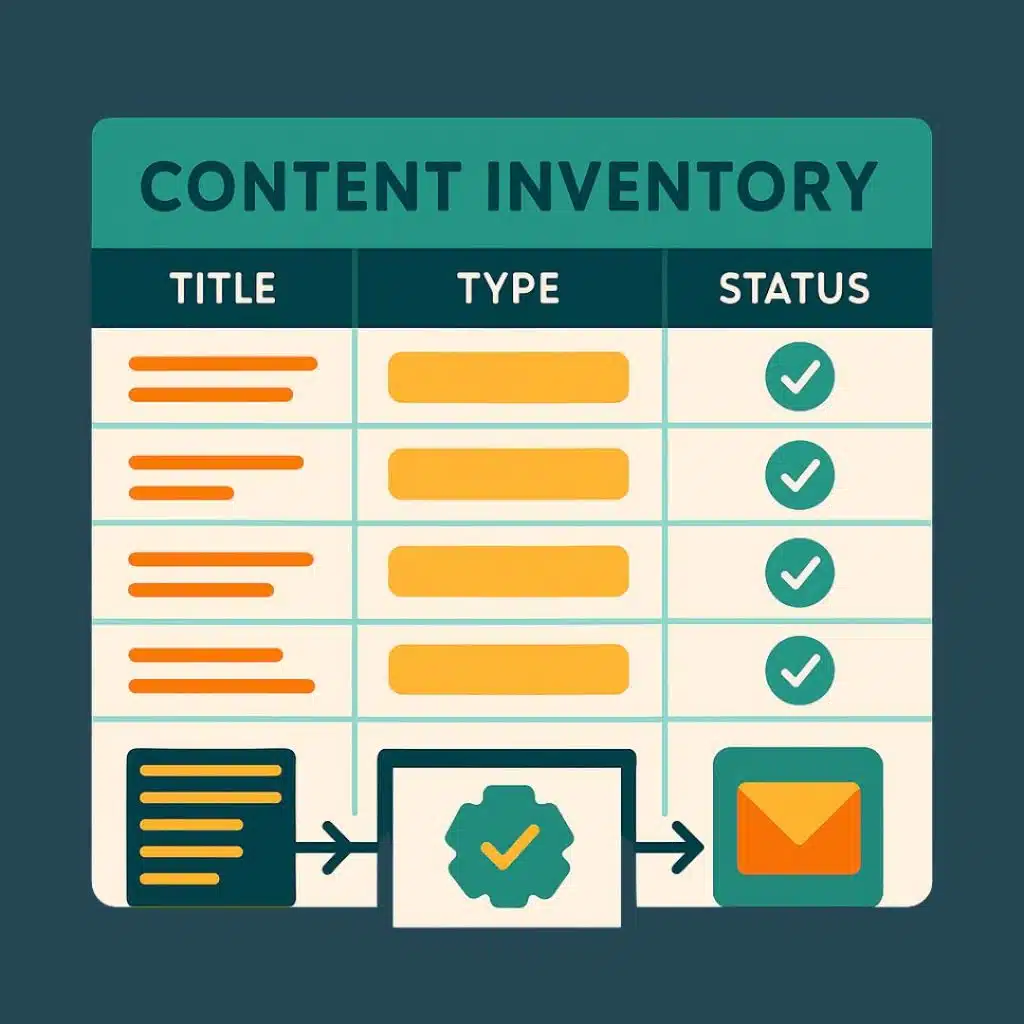
Your website's content inventory spreadsheet doesn't need to be complicated, but it should include these fundamental fields:
URL – The full web address where the content lives
Page Title – The H1 or title tag of the page
Meta Description – The page's meta description
Content Type – Blog, product page, landing page, etc.
Publication Date – When the content first went live
Last Updated – Most recent modification date
Content Owner – Person responsible for the content
Status – Current state (published, draft, needs review)
Primary Keywords – Target keywords for SEO purposes
Content Topics/Categories – Subject matter classification
Internal Links – Connections to other pages on your site
Performance Metrics – Page views, time on page, bounce rate
For more comprehensive tracking, consider adding fields like word count, reading level, target personas, calls to action, conversion rates, quality scores, accessibility status, mobile responsiveness, image alt text completion, and related content.
Your inventory should be custom-made to your specific goals. Don't try to track everything possible—focus on the metrics that matter most to your objectives. The goal isn't to create the world's most detailed spreadsheet; it's to build a practical tool that helps you make better content decisions.
Content Inventory vs. Content Audit: Know the Difference
Imagine you're organizing your closet. First, you'd count all your clothes and note what you have – that's your inventory. Then, you'd evaluate each item to decide what still fits, what's in style, and what needs to go – that's your audit. The same principle applies to your website content.
A content inventory and a content audit are complementary processes that serve different purposes in your content strategy. Let's clear up the confusion between these two commonly mixed-up terms:
| Aspect | Content Inventory | Content Audit |
|---|---|---|
| Purpose | Cataloging what exists | Evaluating quality and performance |
| Nature | Quantitative | Qualitative |
| Focus | What, where, when | How well, why, what next |
| Output | Comprehensive list | Analysis and recommendations |
| Timing | First step | Second step |
| Key Question | "What do we have?" | "Is it any good?" |
Think of your content inventory as taking a complete census of your digital property. It's objective, factual, and answers the "what" questions. Your inventory simply tells you what content exists, where it lives, and basic information about each piece.
The content audit, meanwhile, is where judgment comes in. It's the evaluation phase where you assess quality, performance, and strategic alignment. If your inventory is a list of ingredients in your kitchen, the audit is when you taste each dish and decide if it needs more salt, a complete remake, or should be taken off the menu entirely.
When to Pair an Audit with Your Inventory
While having a website content inventory is valuable on its own, certain situations practically beg for a full audit to follow. Here's when you should definitely roll up your sleeves and do both:
1. Before a Website Redesign
When planning to renovate your digital home, you need to know not just what furniture you have, but what's worth moving to the new place. A thorough inventory shows you everything you own, while the audit helps you decide what deserves space in your shiny new website.
2. During a Rebrand
Rebranding isn't just about slapping a new logo on everything. It involves aligning all your messaging with your refreshed identity. Your inventory helps you locate every instance of your brand voice, while the audit helps prioritize updates based on visibility and impact.
3. Following Legal or Regulatory Changes
When the rules change, you need to identify what content might be affected quickly. Your inventory is the map that guides your compliance team to potentially problematic content, while the audit ensures everything meets the new standards.
4. For Annual Content Reviews
Let's be honest – comprehensive content audits are time-intensive. Most teams need one to two weeks for a thorough audit of a full site. By planning annual reviews with a fresh inventory, you can maintain content quality without constant firefighting.
5. When Performance Metrics Decline
Notice your traffic or conversions dropping? A combined inventory and audit can help you pinpoint which content is underperforming and why, giving you clear targets for optimization.
For a more structured approach to managing your content operations, check out our Content Operations Framework Guide.
Common Pitfalls to Avoid
Creating a content inventory sounds straightforward, but several traps even experienced teams fall into:
Scope Creep
It's tempting to catalog everything down to the last comma, but this can quickly become overwhelming. Start with a clearly defined scope – maybe just your blog or key service pages – then expand methodically once you've got the process down.
Stale Data
The moment you finish a manual inventory, it begins to become outdated as new content is published. Either schedule regular updates or invest in automated solutions that keep your inventory fresh without constant maintenance.
Manual Errors
When you're logging hundreds or thousands of pages, human error is inevitable. Double-check your work, use automation where possible, and consider having a second set of eyes review your data for accuracy.
Frozen Content
Some teams halt all content creation during the inventory process to prevent changes. This can seriously disrupt your marketing momentum. Instead, look for tools that can provide a snapshot of your content at a specific moment without requiring a publishing freeze.
Analysis Paralysis
Collecting mountains of data without a clear plan leads nowhere fast. Before you begin, define exactly what questions you're trying to answer so you gather only the information you'll actually use.
A perfect inventory that never leads to action is far less valuable than an imperfect one that drives real improvements. Remember, the goal isn't perfection—it's progress.
How to Build a Content Inventory for Your Website from Scratch
Creating a comprehensive website content inventory might seem overwhelming at first glance, but I promise it's manageable when broken down into clear steps. Think of it as organizing your digital closet—yes, it takes some effort, but the clarity afterward is absolutely worth it.
Step 1: Define Purpose & Scope for Your Content Inventory
Before diving headfirst into spreadsheets and data collection, take a moment to clarify why you're creating this inventory. Are you:
Preparing for a website redesign? (Nothing worse than realizing you forgot to migrate that high-converting landing page!)
Looking to identify content gaps where your competitors are outshining you?
Trying to boost your SEO performance by finding optimization opportunities?
Ensuring compliance with industry regulations? (Especially important for healthcare, finance, or legal sectors)
Setting up better content governance so your team stops asking "Wait, do we have something on that already?"
Once your purpose is crystal clear, decide on your scope. Will you tackle every single page on your website (brave soul!), focus on specific high-priority sections, or perhaps implement a rolling inventory where you review different sections each quarter?
Remember to loop in key stakeholders early—the folks who'll actually use this inventory to make decisions. And be realistic about timelines. As the Nielsen Norman Group says, "Now is a good time to get going. There's really no perfect time to start; if you don't have a content inventory and audit yet, now is a good time to begin."
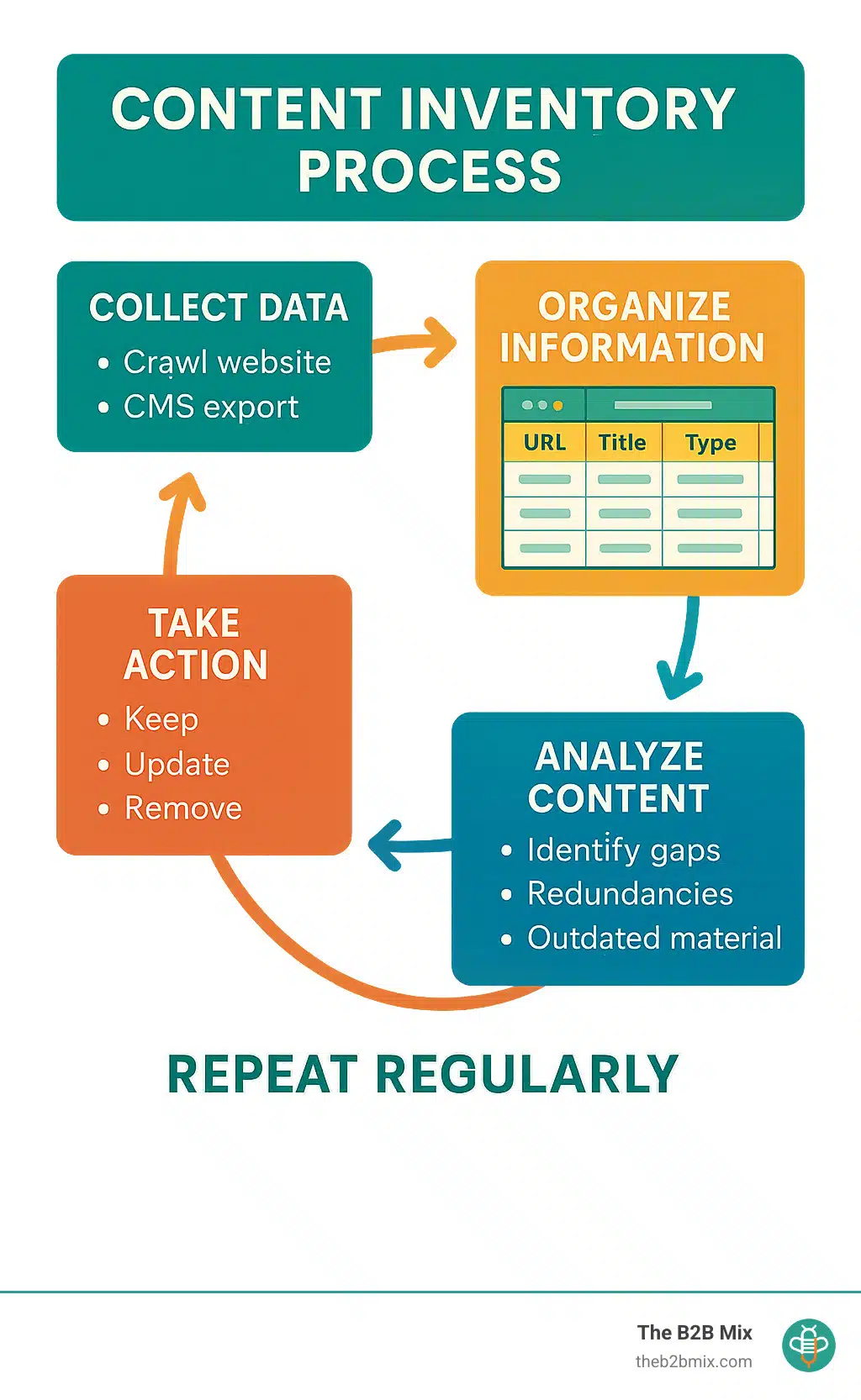
Step 2: Collect Data Automatically
Let's be honest—manually cataloging hundreds or thousands of pages would be about as fun as counting grains of sand. Thankfully, several tools can do the heavy lifting for you:
Screaming Frog SEO Spider is a popular choice that offers a free version for sites with under 500 URLs. It crawls your site and collects key data points like URLs, titles, and metadata.
SEMrush Site Audit and Moz Pro also offer robust crawling capabilities with additional SEO insights baked in.
Most content management systems also allow you to export content directly. In HubSpot, for example, you can pull reports of all your blog posts, landing pages, and other content types along with their properties.
To obtain the most comprehensive picture, you'll likely want to combine data from multiple sources, including CMS exports for content details, Google Analytics for performance metrics, and SEO tools for keyword data. The result? A spreadsheet that gives you a bird's-eye view of your entire content ecosystem.
Step 3: Enrich the Spreadsheet Manually
Now comes the part where human judgment adds tremendous value to your website's content inventory. While automation gives you the skeleton, manual enrichment adds the meat to the bones.
Start by conducting a ROT analysis, identifying content that's redundant (hello, three nearly identical product pages!), Outdated (that 2018 industry trends report isn't doing you any favors), or Trivial (does anyone actually read that page with two sentences on it?).
Next, assess content quality by adding columns for readability, brand voice alignment, and accuracy. This is where you'll spot those pages that technically exist but don't serve your audience well.
Strategic classification helps connect content to business goals. Tag content with target personas, customer journey stages, and the business objectives they support. This transforms your inventory from a technical document into a strategic asset.
Don't forget accessibility considerations—are images properly tagged with alt text? Do your headings follow a logical structure? These details matter not just for compliance but for creating an inclusive user experience.
Step 4: Analyze & Decide Keep / Update / Kill

This is where your content inventory becomes truly actionable—the moment of truth for each piece of content. Channel your inner Marie Kondo and decide what sparks joy (or in this case, conversions).
For each content piece, you'll need to make one of three decisions:
Keep: This content performs well, remains accurate, and supports your business goals. These are your content all-stars that need little intervention.
Update: Content with potential but needs refreshing. Perhaps it's receiving decent traffic, but it has outdated statistics, or maybe it ranks well but has a high bounce rate.
Remove: Content that's clearly past its prime—outdated, redundant, trivial, or consistently underperforming. Don't worry about content volume; quality always trumps quantity.
During your analysis, keep an eye out for content gaps (topics your audience cares about that you haven't covered), content duplication (multiple pages essentially saying the same thing), and keyword cannibalization (where your own pages compete against each other in search results).
Look for quick wins, too—high-traffic pages with poor conversion rates or content ranking just off the first page of search results. These represent low-hanging fruit that can deliver fast results.
Step 5: Present Findings to Stakeholders
The insights from your content inventory won't matter if they don't drive action. This is where your presentation skills come into play.
Create an executive summary dashboard that highlights the big picture—total content count by type, performance overview, content health assessment, and top opportunities. Visual sitemaps can be incredibly powerful, especially when color-coded to show content performance and update status at a glance.
Develop a prioritized backlog that focuses on high-impact, low-effort improvements first. This makes the next steps clear and manageable rather than overwhelming.
When presenting to stakeholders, focus on business outcomes rather than technical details. Instead of saying "We found 45 pages with duplicate content," try "We identified 45 pages where simple SEO fixes could boost our search visibility and drive more qualified traffic." Connect the dots between content improvements and business results to get buy-in for your recommendations.
A content inventory isn't a one-and-done project—it's the foundation for ongoing content strategy. The insights you gain will inform everything from your editorial calendar to your SEO roadmap to your UX improvements.
Tools, Templates & Automation to Boost Your Website's Content Inventory
Creating and maintaining a content inventory becomes significantly easier with the right tools. Here's our roundup of solutions to streamline the process:
Free & Low-Cost Options
You don't need to break the bank to create an adequate content inventory. In fact, many of our clients begin with simple, accessible tools that do the job beautifully.
Google Sheets remains the go-to choice for many teams due to its collaborative nature. We've watched marketing teams work together in real-time, commenting and updating their inventory simultaneously—no more emailing spreadsheets back and forth! Plus, it's free, which is always a nice bonus.
If you're more of an Excel fan, you'll appreciate its robust data analysis features. Those pivot tables and conditional formatting options can transform a basic inventory into a powerful analytical tool. For the open-source enthusiasts, LibreOffice Calc offers similar functionality without the price tag.
Need a head start? There are plenty of templates online, or you can get a copy of ours.
For smaller sites, Screaming Frog's SEO Spider free version is a lifesaver. It crawls up to 500 URLs and exports the data directly to your preferred spreadsheet. One of our clients, who has a 300-page website, completed their initial inventory in just an afternoon using this tool.
Don't overlook the power of Google Sheets add-ons like SEO Tools for Excel or Analytics Edge. These little helpers can automatically pull in performance metrics, saving you hours of manual data entry.
Enterprise-Grade & Specialized Platforms
As your website grows, so do your content management needs. For our larger clients with thousands of pages, we typically recommend more robust solutions.
If you're already using HubSpot (as many of our clients do), you're in luck! Its built-in content management tools make exporting comprehensive content lists a breeze. We recently helped a client compile a comprehensive inventory of their 2,000+ blog posts, complete with view counts, conversion rates, and author information—all with just a few clicks from their HubSpot dashboard.
For ongoing content monitoring, dedicated content analysis platforms shine. These tools continuously crawl your site, automatically updating your inventory when pages are added, changed, or removed. It's like having a diligent assistant who never sleeps or takes coffee breaks.
The real power of enterprise platforms comes from their integration capabilities. Imagine having your SEO data, content performance metrics, and workflow management all in one place. For large teams with complex websites, this integration saves countless hours of manual correlation and helps prevent things from falling through the cracks.
Template Gallery & Checklists
Ready to jump in? We've created resources based on our experience with dozens of B2B clients that you can use right away.
Our comprehensive Content Inventory & Audit Checklist walks you through the process step by step. We've refined this checklist through years of client work, ensuring it covers all the critical elements without overwhelming you with unnecessary details.
Depending on your goals, you'll want to structure your inventory columns differently. For SEO-focused inventories, you'll want to track elements like page titles, meta descriptions, target keywords, and current rankings. One client used this approach to identify 20+ high-potential pages that were ranking on the second page of Google results—with some targeted updates, they moved several to the first page within weeks.
For content marketing inventories, focus on publication dates, target personas, funnel stages, and conversion rates. This view helps you spot gaps in your content journey and identify which topics resonate most with your audience.
If compliance is keeping you up at night, a compliance-focused inventory tracking review dates, approval status, and regulatory references can bring peace of mind. One of our healthcare clients uses this approach to ensure their content meets strict industry regulations.
The best template is one that you'll actually use. Don't get caught up tracking data points that aren't relevant to your goals—customize these templates to your specific needs and focus on what truly matters for your business.
Keeping Your Content Inventory Alive: Governance, Updates & ROI
Creating a content inventory for your website is just the beginning of your content management journey. The real magic—and lasting value—happens when you transform it from a one-time project into a living, breathing asset that continually informs your content strategy.
How Often Should You Refresh the Inventory?
Let's face it—your content inventory starts becoming outdated the moment you hit publish on your next blog post. Here's how to keep it fresh without driving yourself up the wall:
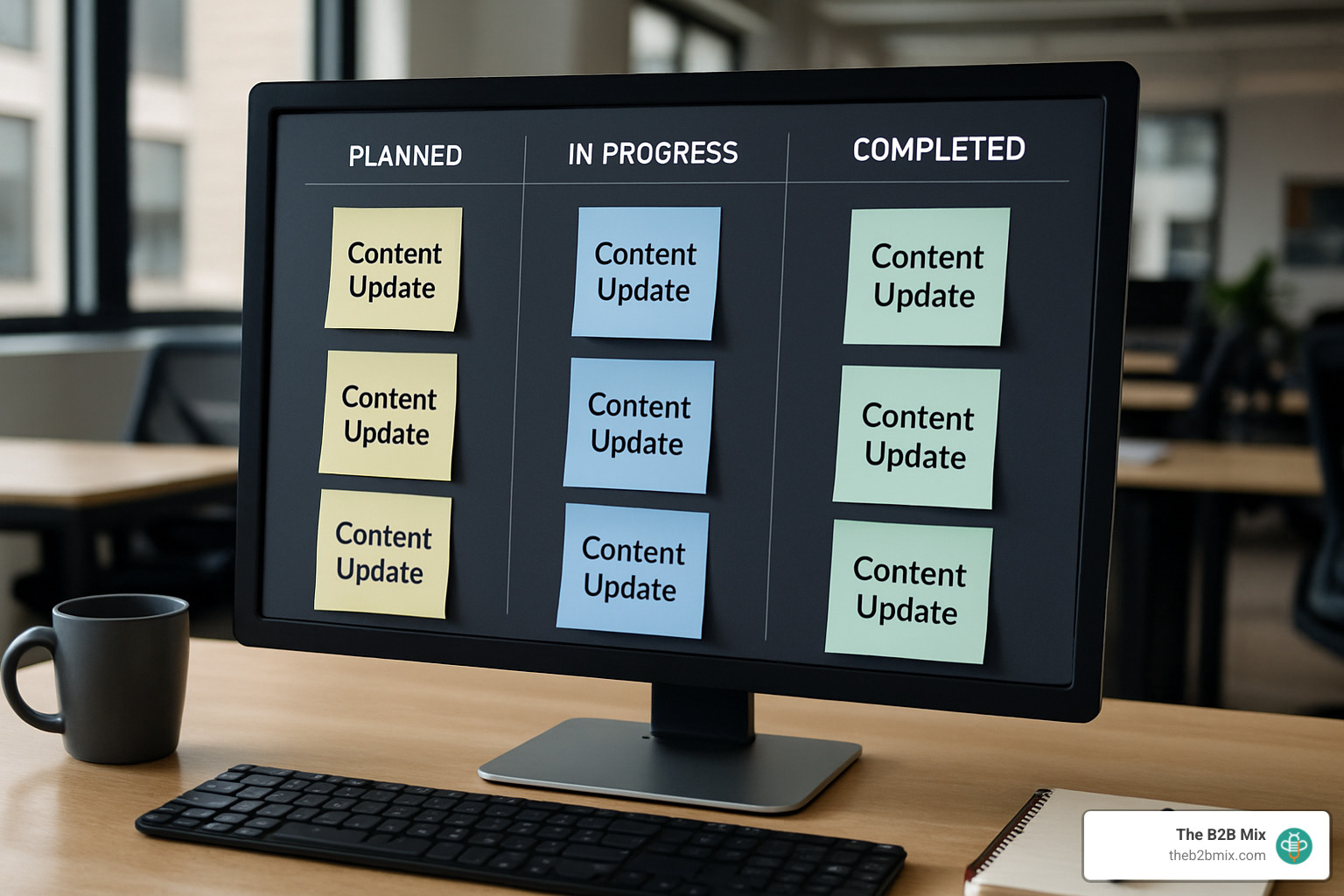
Quarterly comprehensive updates give you a chance to step back and look at the big picture. Block off a day every three months to review your entire inventory, catching any changes that might have slipped through the cracks during your regular maintenance.
Rather than tackling everything at once (hello, overwhelm!), many of our clients find success with rolling checks that break the work into manageable chunks. You might review product pages in week one, blog content in week two, landing pages in week three, and support documentation in week four. This approach keeps the task from becoming too daunting.
Certain milestones should automatically trigger inventory updates. When you launch a new product, complete a major website overhaul, refresh your brand messaging, or face regulatory changes, it's time to update your website's content inventory accordingly.
For larger sites, manual updates quickly become unsustainable. If possible, avoid creating manual processes for creating an inventory. After all, manual processes leave things open to human error and maintenance burdens. Specialized software is the optimal way to maintain an up-to-date, dynamic inventory. Setting up continuous automated crawls on a weekly or monthly basis can identify new pages, content changes, and broken links without requiring constant human intervention.
Who Owns the Content Inventory Internally?
Without clear ownership, even the most beautiful inventory will gather digital dust. The right owner depends on your organization's structure and priorities:
Your content strategist or manager might be the natural choice since they typically have a bird's-eye view of your entire content ecosystem. They understand both the strategic vision and day-to-day execution of your content.
If SEO improvement drives your inventory efforts, your SEO specialist might take the lead, using the inventory to track optimization opportunities and measure progress over time.
For organizations obsessed with user experience (as they should be!), the UX designer or researcher might maintain the inventory to ensure content meets user needs and follows sound information architecture principles.
In B2B organizations using platforms like HubSpot, the marketing operations or content ops team often manages the content inventory as part of their broader system governance responsibilities.
And in highly regulated industries like healthcare or finance, compliance officers may take ownership to ensure all content meets regulatory requirements and minimizes legal exposure.
Regardless of who officially "owns" it, successful content inventories require cross-functional collaboration. At The B2B Mix, we help clients establish governance models that clearly define roles and responsibilities, set regular update schedules, establish change management processes, outline stakeholder communication plans, and provide training for content creators.
Measuring Success & Demonstrating Value
Let's be honest—maintaining a website content inventory requires an investment of time and resources. To justify that investment to stakeholders (or yourself!), you'll want to track metrics that demonstrate tangible value:
Traffic improvements offer the most visible evidence of success. Look for increased organic search traffic to optimized pages, reduced bounce rates as content quality improves, and more page views per session as your internal linking strategy becomes more intentional.
As your content becomes more strategic, you should see conversion rate optimization in action. This might include higher conversion rates on updated landing pages, more leads generated from optimized content, and even shortened sales cycles as prospects move more efficiently through your content journey.
Don't overlook the operational efficiencies that come from a well-maintained inventory. Teams spend less time searching for content, duplicate creation efforts decrease dramatically, and content review processes become more streamlined and predictable.
For regulated industries, the compliance benefits alone can justify the investment. A good inventory reduces the risk of regulatory violations, enables faster responses to compliance issues, and ensures more consistent application of required language and disclaimers.
During website migrations or redesigns, your inventory delivers significant cost and time savings. Your content inventory helps identify and consolidate redundant product pages, resulting in increased conversion rates and significantly reduced maintenance overhead.
With a living content inventory, you transform content from an overwhelming collection of assets into a strategic resource that drives business results. It's like having a map for your digital ecosystem—and who doesn't want to know exactly where they're going?
Frequently Asked Questions about Website Content Inventory
What's the fastest way to start a content inventory on a large website?
Tackling a content inventory for a large site can feel like trying to eat an elephant. The secret? One bite at a time.
For sites with thousands of pages, we've found a phased approach works wonders:
Start with your VIPs – your Very Important Pages. These typically include your product pages, high-converting landing pages, and blog posts that consistently drive traffic. These pages are your digital breadwinners, so they deserve your attention first.
Automation is your friend here. Tools like Screaming Frog can crawl your entire site and gather basic information about all pages in a fraction of the time it would take manually. It's like having a digital assistant do the heavy lifting for you.
Let your analytics guide your priorities. Review your Google Analytics to identify which pages receive the most traffic or conversions, and then focus your detailed inventory efforts on those pages first. This ensures you're addressing the pages that matter most to your business.
Rome wasn't built in a day – and neither is a thorough content inventory. Setting up a rolling schedule to tackle different sections over time makes the process manageable and less overwhelming. Maybe product pages this month, blog content next month, and so on.
Don't overlook the goldmine that is your CMS. Many content management systems can generate reports of all published content with basic metadata, giving you a solid foundation to build upon.
While you may just want to "get it over with," don't rush; a full content audit can take a week or two." An imperfect inventory that exists today is infinitely more valuable than a perfect one that never gets completed.
How does automation reduce manual errors in inventories?
Let's face it – humans make mistakes. We get tired, distracted, or simply overlook things. When it comes to creating a website's content inventory, these human errors can seriously compromise your data.
Automation helps eliminate these issues in several key ways:
Automated crawlers are like robots with perfect memory – they gather the exact same data points for every single page, eliminating the inconsistencies that come with human collection. They don't get bored or decide to take shortcuts halfway through.
The real magic happens with real-time updates. While a manual inventory becomes outdated the moment you publish new content, automated systems can detect and flag new or changed content immediately, keeping your inventory perpetually fresh.
Many automated tools also include built-in data validation, verifying that URLs actually work, that metadata is present, and that required elements exist on each page. It's like having a proofreader check your work automatically.
The integration with analytics platforms is particularly valuable. Automated systems can pull performance data directly from Google Analytics or other platforms, eliminating tedious copy-paste tasks and the errors that inevitably come with them.
Version control is another benefit that shouldn't be overlooked. Automated inventories typically maintain change histories, making it easy to see what's been updated and when – creating an audit trail that manual processes often lack.
As you may suspect, manual inventories will quickly become outdated if you aren't adding new content as soon as it's published. Because manual updating is time-consuming and error-prone, look for ways that automation can solve this fundamental challenge.
Can a content inventory for my website directly improve my SEO rankings?
A content inventory for your website by itself won't magically boost your rankings, but it's the essential first step that enables all the subsequent actions. Think of it as the diagnosis before the treatment.
Your inventory helps identify keyword cannibalization issues, which occur when multiple pages compete for the same keywords. Once identified, you can consolidate these pages or differentiate them, allowing each to shine in search results rather than compete with each other.
Thin content becomes immediately apparent in a good inventory. These are pages with minimal content that could be expanded to provide more value to both readers and search engines. Your inventory essentially creates a to-do list of pages needing improvement.
One of the most valuable SEO benefits comes from improving internal linking. With a complete view of your content ecosystem, you can create more strategic internal links between related pages, helping both users and search engines steer your site more effectively.
Content freshness matters for SEO, and your inventory highlights old content that needs refreshing to remain relevant. Those blog posts from 2018 with outdated statistics? Your inventory helps you prioritize which ones to update first.
Sometimes the best SEO move is removal. Identifying and removing poor-quality pages can improve your site's overall quality in the eyes of search engines, a concept known as "content pruning" that can lead to significant ranking improvements.
After building a comprehensive content inventory and conducting an audit of the assets, you can implement the resulting recommendations for better SEO results. That's the power of turning inventory insights into action.
At The B2B Mix, we've seen how a strategic content inventory becomes the roadmap for meaningful SEO improvements – not by itself, but by illuminating the path forward.
Conclusion
Let's face it – creating a content inventory feels like a big task. But if you've made it this far, you know the payoff is worth every spreadsheet cell and crawl report.
Think about what you've gained: a clear picture of your digital landscape, insights into what's working (and what's not), and a roadmap for making smarter content decisions. Whether you're preparing for a website migration, refining your SEO strategy, or simply trying to get your content in order, your inventory is the foundation that makes it all possible.
The most successful content inventories share a few key characteristics. They're:
- Purposeful – directly tied to business goals rather than created for their own sake.
- Comprehensive – capturing all the content types and metadata that matter to your organization.
- Actionable – leading to clear keep/update/remove decisions that improve your site.
- Maintained – regularly refreshed to stay relevant. And perhaps most importantly, they're collaborative, bringing together perspectives from across your team.
At The B2B Mix, we've seen how transformative a well-executed content inventory can be. One client found they had four different blog posts covering essentially the same topic – each with mediocre performance. By consolidating them into one authoritative piece, they not only simplified their content management but saw organic traffic to that topic increase by 40%.
Your content inventory isn't just a document – it's a strategic asset that brings visibility and structure to your digital presence. It shifts conversations from "I think we have something about that somewhere" to "Here's what we have, how it's performing, and what we should do next."
Ready to take control of your website content? Start with our Content Inventory & Audit Checklist or reach out for a conversation about how we can help streamline your content operations.