
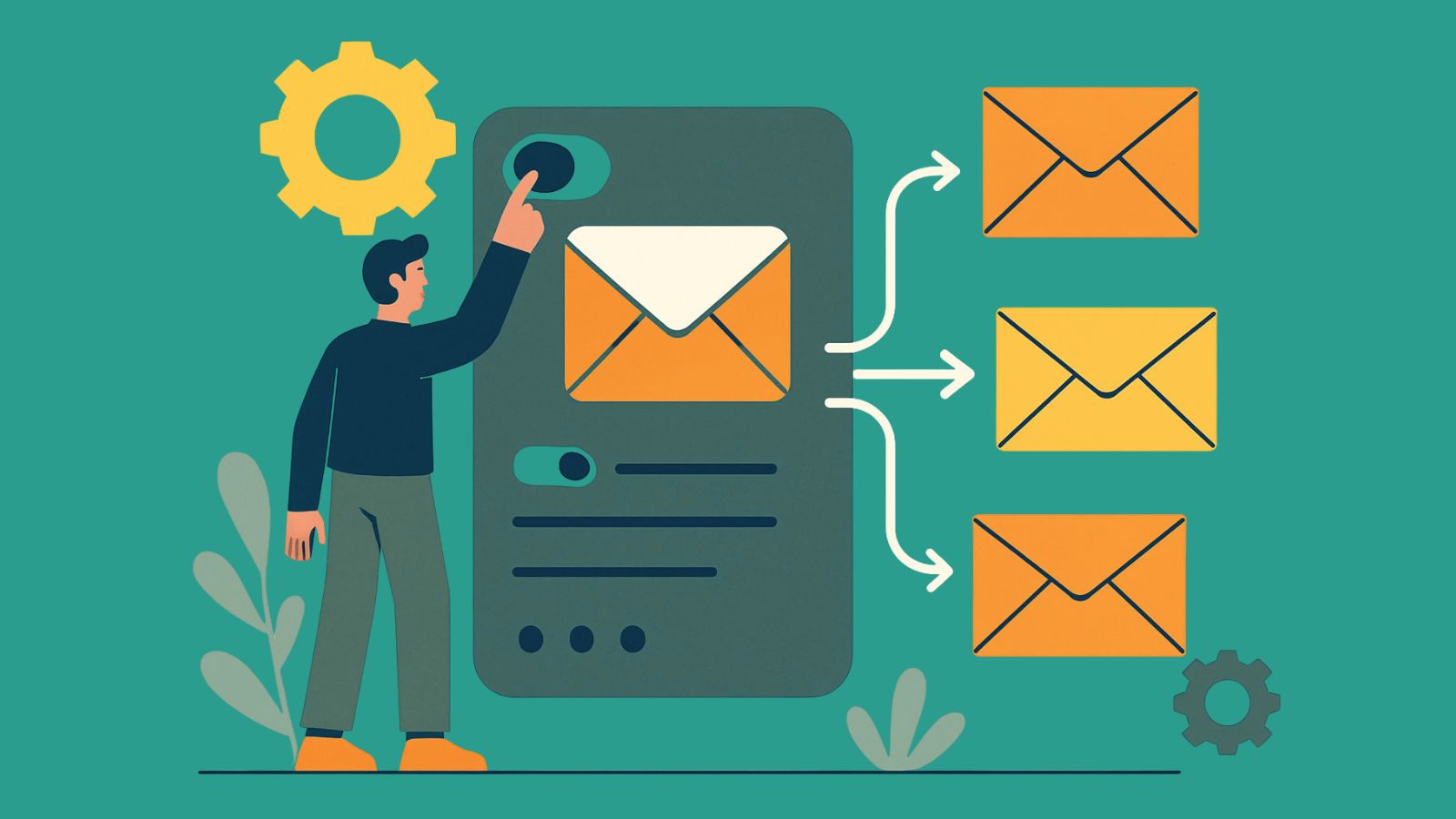
Streamline Your Inbox: What is Email Automation?
Curious about how to automate emails? Here’s the lightning-fast rundown:
- What it is: Using software to send or organize emails automatically.
- How it works: Pre-set triggers, schedules, or conditions fire off the message.
- Why it helps: No more repetitive inbox chores.
- The payoff: Timely, personalized communication without the manual grind.
Today’s B2B marketers have far better things to do than copy-pasting the same follow-up over and over. With the right setup, your emails work 24/7—welcoming new contacts, nudging leads, and delighting customers while you focus on high-value strategy.
Other great content to check out:
Email Automation: What Is It (and Why Should You Care)?
Picture sipping coffee while messages head out on your behalf—welcoming subscribers, following up with leads, and nudging prospects closer to "yes." That's the power of automating emails.
At its simplest, email automation is software-driven send-and-organize magic. Email automation covers any automated task (sorting, auto-replies, etc.). Email marketing automation zooms in on revenue goals—think nurture sequences, lead scoring, and sales enablement. For B2B teams, the latter is where real growth happens.
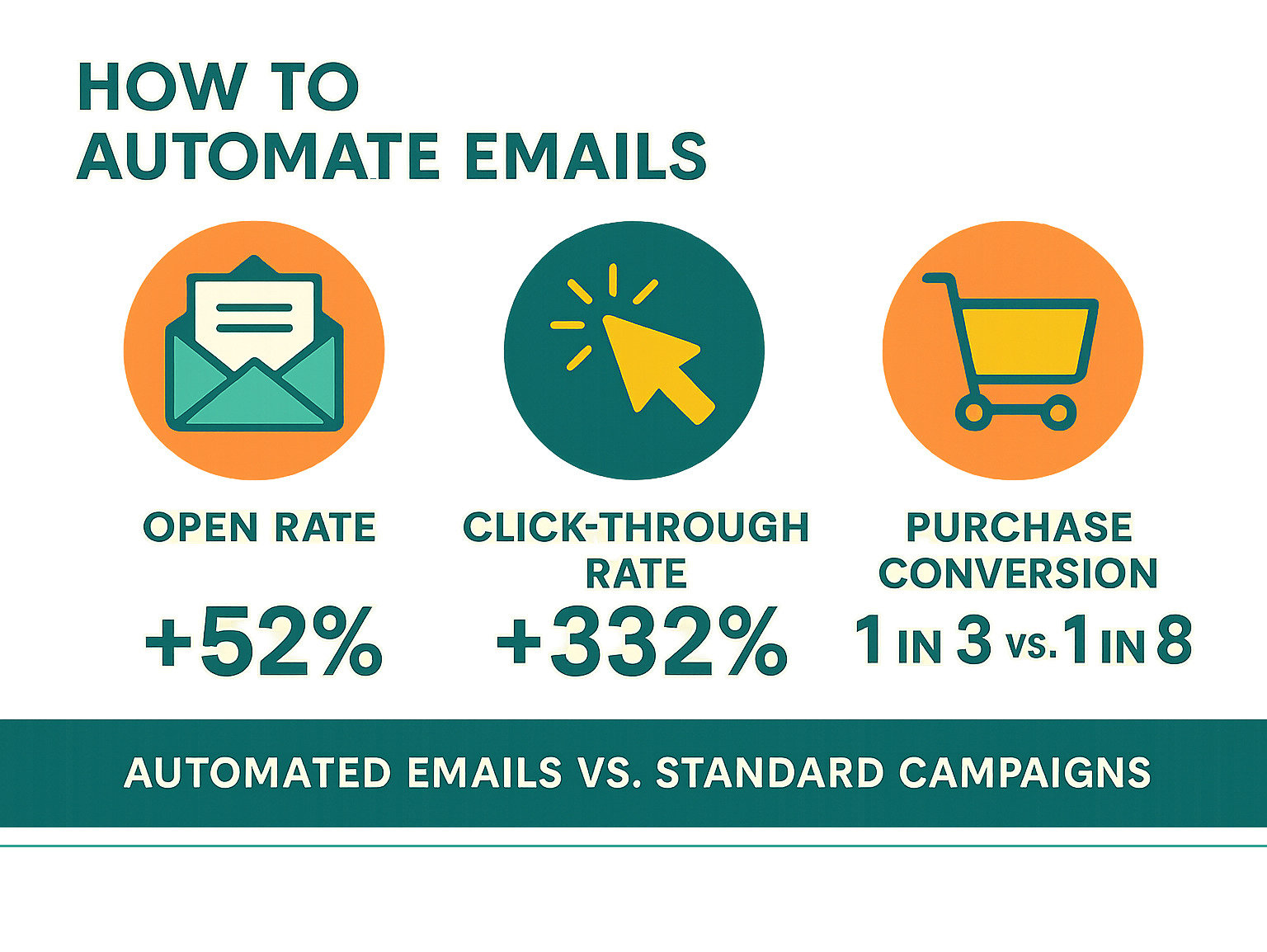
Why does it matter? Because automated campaigns consistently outperform manual blasts. Automated emails typically earn higher open rates, drive better click rates, and generate a disproportionate share of email orders while accounting for just a small fraction of total sends.
The Key Benefits of Automating Your Emails
- Time savings: Repetitive sends are handled for you.
- Efficiency: Instant, on-trigger delivery keeps conversations flowing.
- Scalability: Grow from 100 to 10,000 contacts without extra headcount.
- Stronger nurturing: Stay top-of-mind during long B2B sales cycles.
- Consistent brand voice: Templates guarantee polish.
- Better customer experience: Personalized, timely touchpoints build loyalty.
- Actionable data: Opens, clicks, and conversions feed smarter decisions.

Getting Started: How to Automate Emails
So you're ready to learn how to automate emails? Great! The good news is that it's not as complicated as it might seem at first glance. Think of email automation as setting up a highly intelligent assistant that never sleeps, never forgets, and always knows exactly what to do when something happens.
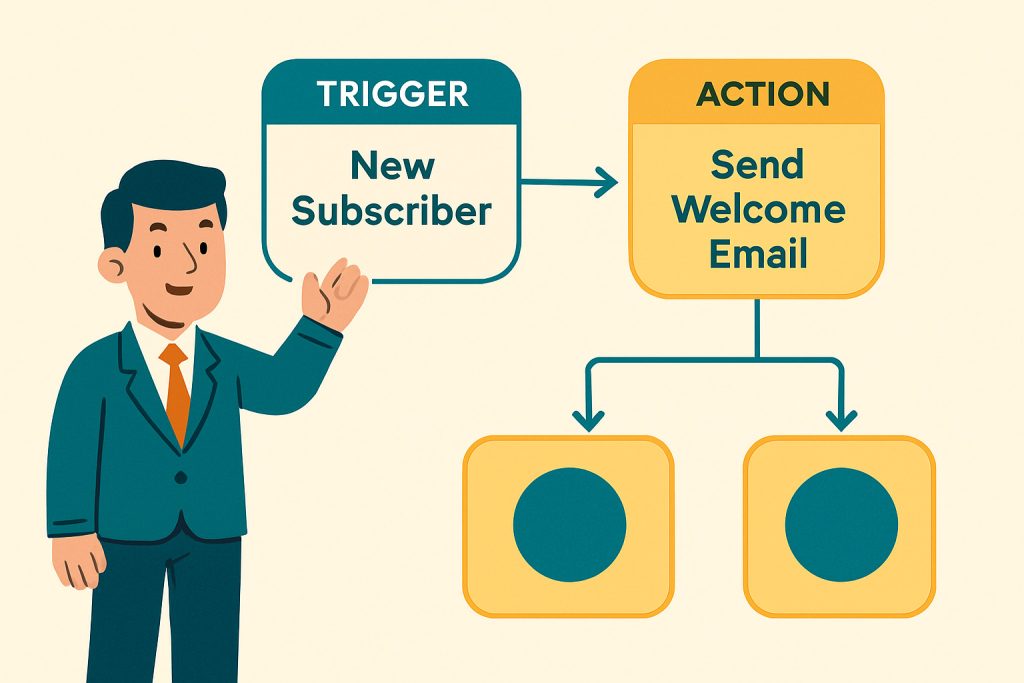
At its heart, email automation is built on workflows – these are like detailed instruction manuals that tell your system exactly what to do and when. Every workflow begins with a trigger, which is simply an event that sets everything in motion. Maybe someone signs up for your newsletter, downloads your latest ebook, or visits your pricing page. When that happens, your workflow springs into action, performing predetermined tasks such as sending a welcome email or updating a contact's information.
Most automation systems also utilize rules and filters to ensure that the right people receive the right messages. Templates keep your emails looking professional and on-brand, while segmentation ensures your carefully crafted messages reach the people who actually want to hear them.
Basic Automation in Your Everyday Inbox
Here's a secret: you don't need fancy software to start automating your emails. Your regular email provider already has some pretty powerful automation features built right in. While these won't handle complex marketing campaigns, they're perfect for cleaning up your inbox and making your daily email routine much smoother.
Email rules and filters are absolute lifesavers for inbox organization. You can set them up to automatically sort incoming emails into specific folders based on who sent them or what they're about. Imagine never having to manually file another newsletter or automatically moving all your project updates into a dedicated folder.
Canned responses and templates are perfect for those times when you find yourself typing the same response over and over. Most email providers let you save these frequently used messages so you can insert them with just a few clicks. It's incredibly handy for answering common questions or sending standard acknowledgments.
Auto-replies and out-of-office messages are probably the most familiar form of email automation. These automatically let people know when you're unavailable, managing expectations and keeping communication flowing smoothly even when you're away from your desk.
Scheduled sending is another simple but powerful feature. You can write an email now but have it delivered at the perfect time for your recipient, regardless of when you actually composed it. This is especially useful when you're working across time zones or want to ensure your message lands when it's most likely to be read.
These basic tools might seem simple, but they can dramatically improve your daily productivity and help you stay organized without any extra effort.
How to Automate Emails with Marketing Automation Platforms
While your regular email provider is great for personal productivity, dedicated marketing automation platforms are where things get really exciting for B2B companies. These platforms are like upgrading from a bicycle to a sports car – they can handle much more complex tasks and deliver far better results.
The real power lies in their sophisticated workflows that can handle intricate decision-making. Instead of simple "if this, then that" logic, you can create complex paths with logic branches that adapt based on how people interact with your emails. For example, if someone downloads your ebook, they might get a thank-you email immediately, then wait three days before receiving follow-up content. If they click a link in that follow-up, they might enter a more sales-focused sequence, while non-clickers get additional educational content.
Delays are another crucial feature that lets you space out your communications naturally. Nobody wants to be bombarded with emails, so you can build in strategic waiting periods that feel more like a natural conversation than a marketing blast.
The game-changer for B2B companies is CRM integration
When your automation platform connects with your customer relationship management system, it can access rich data about your contacts – their company size, industry, past interactions, and where they are in your sales process. This means every automated email can be incredibly relevant and personalized.
Advanced segmentation takes this even further, allowing you to send precisely targeted messages based on multiple criteria. You might send one message to small business owners in the tech industry and a completely different one to enterprise contacts in manufacturing.
If you're looking to harness the full power of these tools, our HubSpot Services can help you get the most out of your automation platform. For a deeper dive into strategic automation, check out our guide on how to Get Effective, Efficient Marketing Automation.
Your First Automated Workflow: A Step-by-Step Guide
Ready to build your first automated workflow? Think of it like planning a dinner party – you need to know who's coming, what you're serving, and when everything needs to happen. Here's how to approach it:
Start by defining your goal clearly. What do you want this automation to accomplish? Are you welcoming new subscribers, nurturing leads for a specific product, or re-engaging contacts who've gone quiet? Having a crystal-clear objective will guide every decision you make.
Next, identify your trigger – the specific event that will start your automation. This might be someone signing up for your newsletter, downloading a particular piece of content, visiting your pricing page, or reaching a certain stage in your sales process. The trigger should directly relate to your goal.
Segment your audience carefully. Not everyone should receive the same automated sequence. Based on your trigger and goal, define exactly who should enter this workflow. You might target new subscribers who downloaded a specific ebook, or leads from a particular industry. The more specific you are, the more relevant your messages will be.
Craft your email content with care. Just because it's automated doesn't mean it should feel robotic. Write compelling, personalized emails with clear calls to action. If you're creating a series, make sure each email flows naturally to the next, building a cohesive narrative.
Set your timing and logic thoughtfully. How long should the system wait between emails? Three days is often a good starting point, but it depends on your industry and goal. Consider different paths based on recipient behavior – if someone clicks a link, they might be ready for more detailed information, while non-clickers might need a different approach. Also decide when someone should exit the workflow, such as when they make a purchase or reply to an email.
Test thoroughly before activating. This step is crucial but often skipped in the excitement of launching. Send your workflow to a small group of internal contacts first. Make sure all emails are sending correctly, links work properly, and any conditional logic functions as intended. Once you're confident everything works smoothly, you can activate it for your real audience.
Building your first workflow might feel overwhelming, but remember – you can always refine and improve it based on the results you see. The key is to start with something simple and build your confidence from there.
Powerful Email Automation Use Cases for B2B
In the B2B world, how to automate emails isn't just about sending messages on autopilot. It's about creating a strategic communication system that guides prospects and customers through their entire journey with your brand. Think of it as having a knowledgeable sales assistant who never sleeps, always remembers important details, and knows exactly when to reach out.
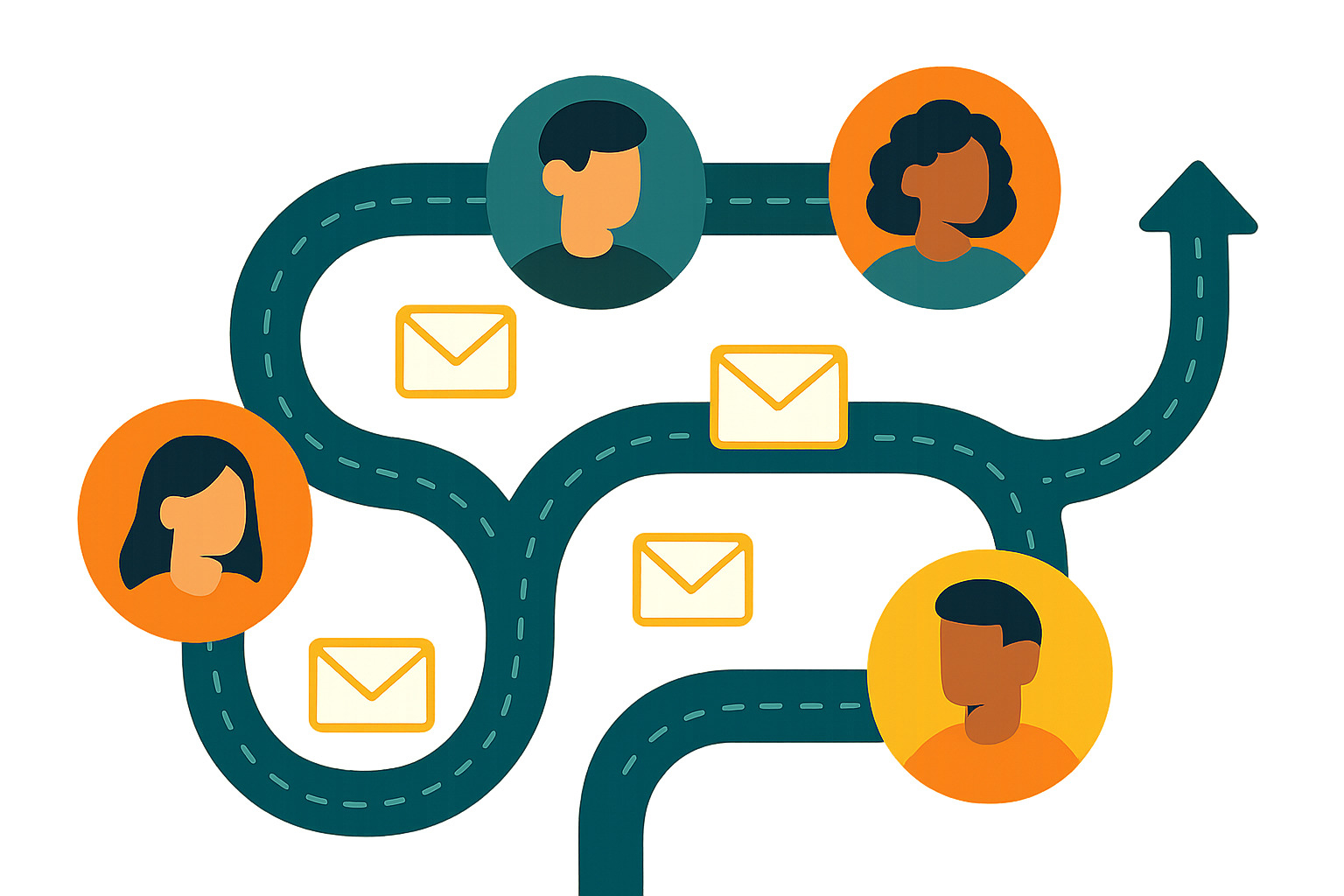
This is where B2B marketing and sales enablement truly work hand in hand. When you automate key communications across the customer lifecycle, every lead feels heard, every customer feels valued, and your sales team gets the support they need to close deals. Let's explore some powerful use cases that can transform your email marketing game.
The "Welcome Wagon": Onboarding New Subscribers
You know that feeling when you walk into a new restaurant and the host greets you with a warm smile? That's exactly what a welcome email should feel like for your new subscribers. When someone downloads your lead magnet, signs up for your newsletter, or requests a demo, your welcome series is your chance to make an unforgettable first impression.
Most people expect to receive a welcome email when they subscribe to a mailing list. Welcome messages typically get significantly more reads and clicks than standard marketing emails, and can generate substantially more revenue per email than other promotional messages.
A well-crafted welcome series does several important things at once.
- Sets clear expectations about what subscribers will receive from you, like "You'll get weekly insights on B2B marketing trends every Tuesday."
- Builds trust by immediately delivering on your promise, whether that's providing the promised lead magnet or confirming their signup.
- Introduces your brand by sharing your mission, values, and what makes your company unique in a way that feels personal, not corporate.
Most importantly, it delivers immediate value. Your welcome email should solve a problem or provide helpful content that demonstrates your expertise right away. This isn't the time to be shy about showing what you know.
For fresh ideas on valuable content to include in your welcome series, check out our B2B Inbound Marketing Ideas.
Nurturing Leads from "Just Looking" to "Ready to Buy"
Let's be honest: the B2B sales cycle is rarely a straight line from interest to purchase. Prospects often spend weeks or months researching, comparing options, and building internal consensus. This "just looking" phase is where automated lead nurturing through drip campaigns becomes absolutely invaluable.
A drip campaign is essentially a series of automated emails sent over time, designed to gradually educate and engage leads while moving them closer to a purchase decision. Think of it as a patient, knowledgeable friend who shares helpful insights at just the right moments.
These campaigns are most effective when triggered by specific actions or characteristics. Content-based triggers are particularly effective – if a lead downloads an ebook about CRM implementation, they might enter a drip campaign focused on the benefits and challenges of CRM systems, positioning your solution as the answer to their needs.
Behavioral triggers can be even more powerful. When a lead repeatedly visits your pricing page or keeps coming back to a specific product page, that's a clear signal they're getting serious. This behavior could trigger a workflow with emails offering case studies, customer testimonials, or an invitation for a personalized demo.
Lead scoring adds another layer of sophistication. As leads engage with your content by opening emails, visiting pages, or downloading resources, their lead score increases. Once they reach a certain threshold, an automated workflow can alert your sales team or send an email inviting them to a discovery call.
The secret sauce is providing consistent, educational content that addresses their pain points and demonstrates your expertise without being overly salesy too early. This builds authority and trust, paving the way for a much smoother sales conversation when they're ready to move forward.
Re-engaging Cold Leads and Celebrating Milestones
Not every lead becomes a customer immediately, and even your best customers may sometimes go quiet. That's perfectly normal, but it doesn't mean the relationship is over. Email automation is perfect for reigniting interest and strengthening relationships that might have gone dormant.
Re-engagement campaigns can work wonders for leads or customers who haven't interacted with your emails or website in a while. A thoughtful "we miss you" campaign might offer a special piece of content, a personalized invitation to a webinar, or even a direct question asking how you can better help them. The key is making it feel genuine, not desperate.
Celebrating milestones is where automation can really shine in building long-term relationships. Automated emails can mark significant moments in the customer journey – a "welcome anniversary" for long-term clients, a congratulatory message when they achieve a specific goal using your product, or a thank-you after a major project completion. These gestures build goodwill and reinforce loyalty in ways that feel personal and thoughtful.
Feedback requests after a purchase, support interaction, or project completion show that you value their opinion and are committed to continuous improvement. Personalized recommendations for existing customers can suggest complementary products or services based on their past purchases or browsing history, fostering a growing and evolving relationship.
These thoughtful, automated touches keep your brand top-of-mind and deepen customer relationships, changing one-time transactions into long-term partnerships that benefit everyone involved.
Best Practices for Automation That Gets Results
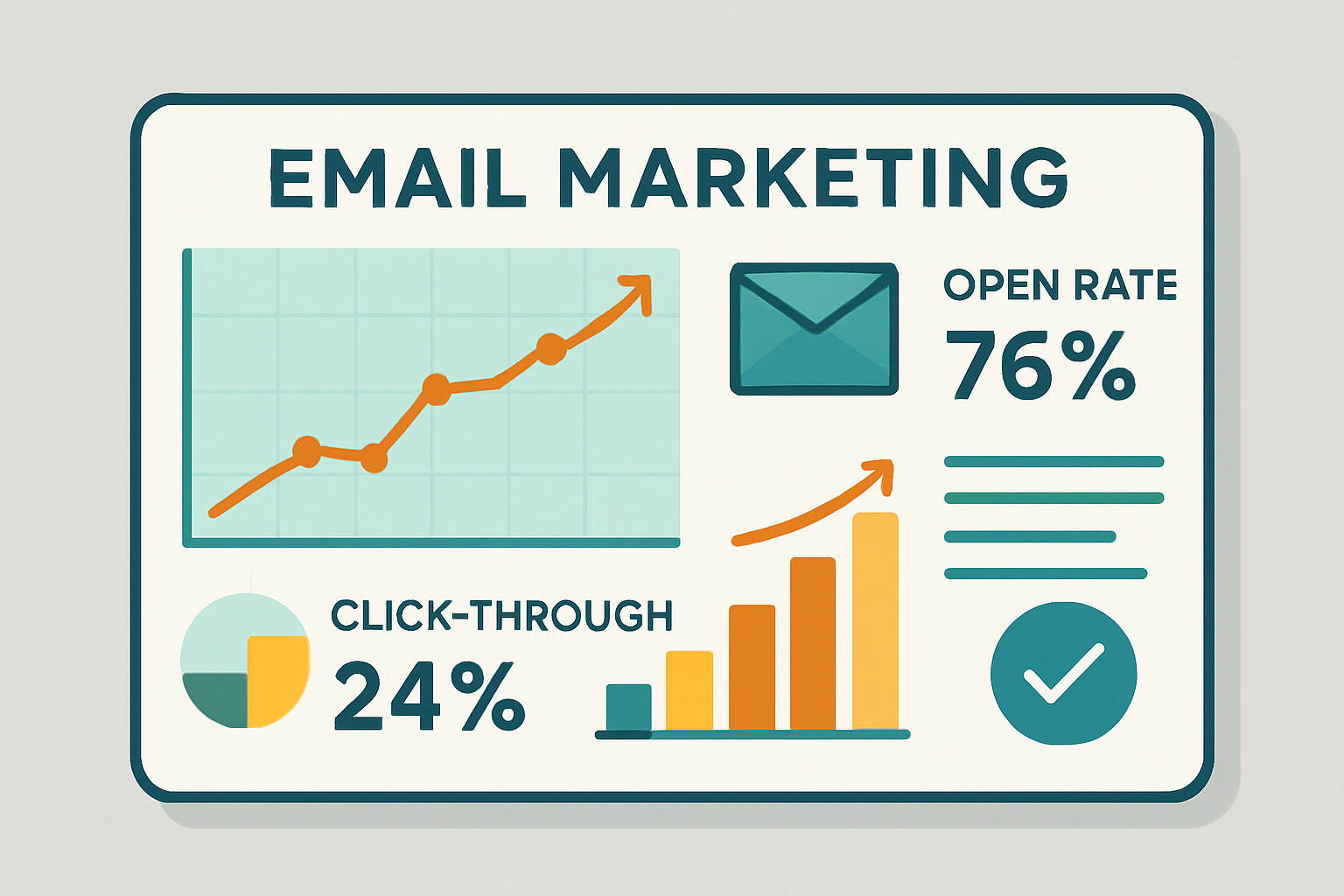
Setting up workflows is just the start. To ensure your efforts deliver, focus on smart personalization, deliverability, and never-ending optimization.
Personalization is King
Generic emails vanish in crowded inboxes. Boost relevance with:
- Dynamic content: Merge tokens for name, company, or product interests.
- Segmentation: Tailor by industry, lifecycle stage, or behavior.
- Behavioral triggers: Send the right follow-up when contacts click, browse, or go silent.
- Product recommendations: Suggest add-ons based on purchase history.
Stay Out of the Spam Folder
Even the best copy flops if it never reaches the inbox.
- Follow regulations like CAN-SPAM or GDPR—clear opt-outs, accurate headers, and a real mailing address.
- Protect sender reputation: Use a verified domain and send consistently.
- Avoid spam signals: Skip shouty subject lines, broken HTML, and image-heavy emails without supporting text.
- Encourage whitelisting: Ask subscribers to add your address to their contacts.
- Prune your list: Remove bounces and chronically inactive contacts.
Measure, Optimize, Repeat
Track core KPIs—open rate, CTR, conversions, unsubscribes—then test and refine.
- A/B test: Subject lines, CTAs, send times, or entire email templates.
- Review workflows: Identify drop-off points and adjust timing, content, or branching logic.
- Iterate regularly: Small tweaks compound into big wins.

Conclusion: Put Your Email Marketing on Autopilot
We've covered a lot of ground on how to automate emails, from the basic inbox hacks to sophisticated marketing automation workflows. The journey from manual, time-consuming email tasks to a streamlined, automated system is truly transformative for any B2B company.
Consider this: Instead of spending hours each week crafting individual emails, sorting through your inbox, and trying to remember who needs what follow-up, you can have a system that works around the clock. Your emails are sent at the perfect moment, personalized for each recipient, and strategically designed to move prospects through their journey.
By embracing email automation, you're not just saving time (though that's a huge win). You're also:
- Improving personalization so every message feels relevant and valuable to your audience
- Boosting efficiency and scalability, ensuring your communication grows seamlessly with your business
- Enhancing lead nurturing and conversions by guiding prospects through a carefully crafted experience that builds trust and drives action
- And maintaining consistent brand messaging across every touchpoint
The beauty of mastering email automation is that it truly puts your email marketing on autopilot. While you're focusing on strategy, building relationships, or tackling other important projects, your automated workflows are quietly working in the background. They're nurturing leads, engaging customers, and driving conversions 24/7, freeing up your valuable resources to concentrate on what truly matters: growing your business.
At The B2B Mix®, we specialize in helping B2B companies optimize their marketing operations technology and execute digital strategies that deliver real results. With our hands-on, jargon-free expertise, we're here to provide the responsive, human support you need to make automation work for your unique business goals.
Ready to take your email marketing to the next level? Explore our B2B Lifecycle Marketing Guide to continue your journey towards marketing mastery. The best automated system is one that's continuously improved, so accept the process of measuring, optimizing, and refining your approach.