If you've been anywhere near HubSpot's orbit this month, you've probably seen "Revenue Hub" pop up. HubSpot launched it on June 16, and the announcement arrived with the usual fanfare and the usual pile of phrases like "unified quote-to-cash operating system." (Which, okay, sure. But what is it?)
Let me translate. Here's what Revenue Hub actually is, why it exists, and how to tell whether it's something you need to care about. Minus the buzzwords.
The one-sentence version
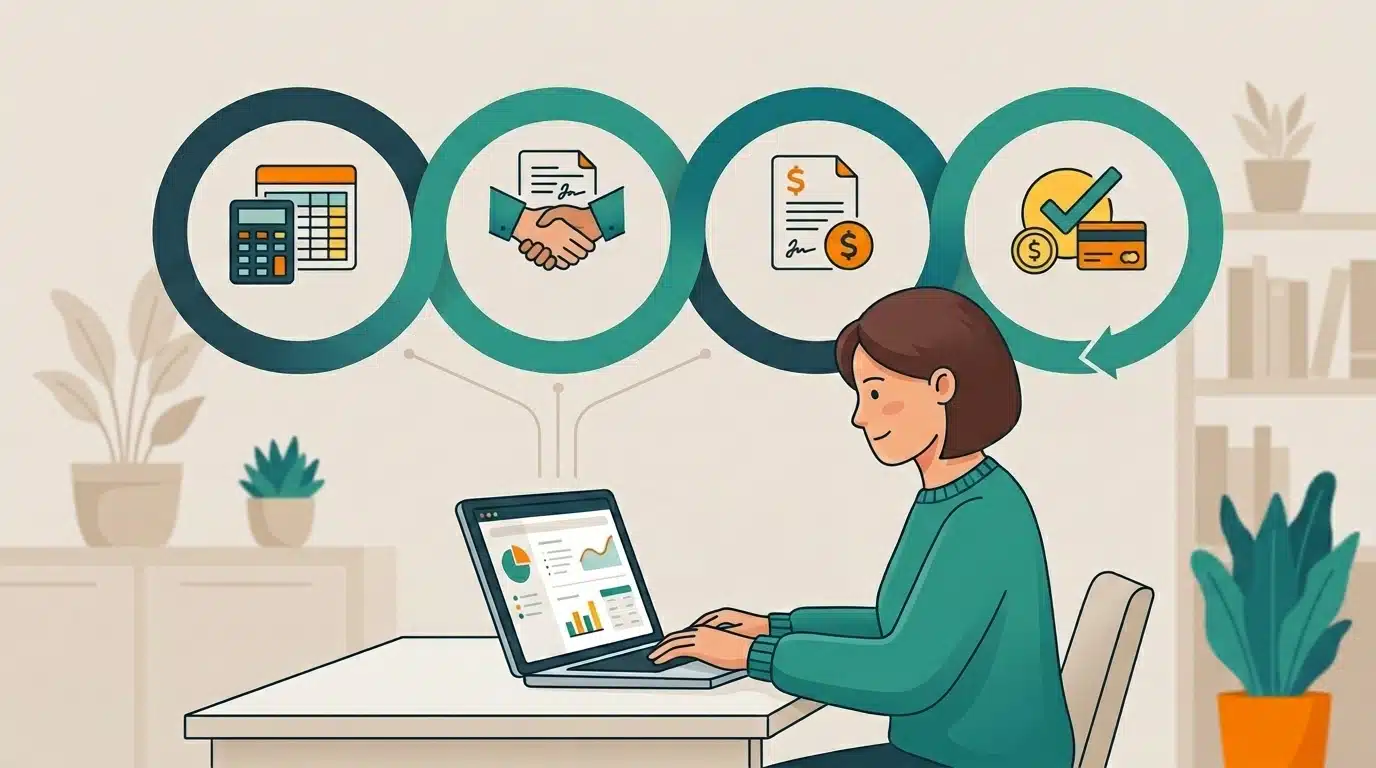
Revenue Hub is HubSpot's system for everything that happens between "the customer wants to buy" and "we got paid, and then we sold them more." Quoting, contracts, invoicing, and payments, all living in the same place as the customer relationship you already track in HubSpot.
If the name Commerce Hub rings a bell, that's because this is its evolution. HubSpot took its old billing-and-payments tools, expanded them into the full revenue process, and gave the whole thing a new name (and a genuinely useful new piece, which I'll get to).
What's actually in it
Three parts, and I'll use the least jargony comparison I can manage:
- CPQ (Configure, Price, Quote). The menu and the order. Build an accurate, on-brand quote fast, with pricing rules so nobody fat-fingers a discount into next quarter.
- Billing. The check. Invoices that follow what was actually agreed, including different start dates and billing schedules on the same deal.
- Payments. The card reader. Collect what customers owe, with payment status flowing back automatically instead of someone updating a spreadsheet by hand.
Holding all three together is the part that's new and, honestly, the most interesting: a Contracts object. Think of it as the system's memory of what you sold and on what terms, so the agreement doesn't vanish into a PDF the second the ink dries.
That's the whole thing. Not so scary.
Why anyone bothered building this
For a long time, the close was the finish line. You won the deal, everybody high-fived, and whatever came next (the invoicing, the renewal, the follow-on sale) was somebody else's problem in somebody else's software.
HubSpot built Revenue Hub with the end in mind: The close is the starting line. Revenue isn't a single moment, it's a whole lifecycle. And when the pieces of that lifecycle live in separate systems that don't talk to each other, revenue quietly leaks out of the gaps between them.
We think about that lifecycle in three parts. Here's each one, and where it tends to spring a leak.
1. Win it
The stretch between a verbal yes and a signed agreement is where more deals die than anyone likes to admit. Slow quotes, approvals stuck in someone's inbox, a buyer who cools off while they wait. Tightening that up is the front end of Revenue Hub's job. (More on this in the speed-to-close post.)
2. Get paid for it
You did the work, and now the money's in limbo. When invoicing is manual and disconnected from what was actually sold, cash sits longer than it should and your team plays telephone to chase it. (More on this in the getting-paid post.)
3. Grow it
The easiest sale you'll ever make is to the customer you already won: the renewal, the reorder, the upgrade, the add-on. Traditional B2B leaves that revenue on the table constantly, because nobody's watching the window. (More on this in the grow-the-customer post.)
Do you need the whole thing?
Probably not all at once, and that's the good news. Revenue Hub is modular. You can start with just payments, or just billing, or the full quote-to-cash stack, depending on where your process actually hurts today. (A classic mistake is buying the whole platform and using a tenth of it. Don't be that company. We say this with love.)
Figuring out where to start, and what to skip, is honestly most of what our managed HubSpot work is.
And to be clear about what the tool does and doesn't do: Revenue Hub puts the right information where someone can see it and act on it. It doesn't run your sales strategy for you. You still decide which customer to call and which deal to chase. It just stops hiding the ball.
So, should you care?
If your quoting, billing, and renewals currently live in three different places (or three different people's heads), it's worth a look. If they're already humming along, file this away and get back to your day.
Either way, if you want a straight read on whether Revenue Hub fits your setup, book a quick call. We'll tell you if it's worth your time, and we'll tell you if it isn't.
One real question to sit with: where does your quote-to-cash process leak today? The tool is just one answer to it.
FAQs
HubSpot Revenue Hub is HubSpot's connected quote-to-cash system. It brings CPQ (configure, price, quote), billing, and payments into the CRM, tied together by a Contracts object that records what was sold and on what terms. It launched on June 16, 2026.
Revenue Hub is the evolution of Commerce Hub. HubSpot describes it as 'formerly Commerce Hub.' Commerce Hub focused on billing and payments; Revenue Hub expands that into the full revenue process, adding CPQ and a native Contracts object so quoting, contracts, billing, and payments all live in one place.
Three connected parts: CPQ for building and approving quotes, Billing for invoicing on agreed terms, and Payments for collecting and reconciling. A Contracts object ties them together as a single record of what was sold, what it's worth, and how it changes over time. Access to each part and functionality depends on your HubSpot Revenue Hub tier.
No. Revenue Hub is modular. A company can start with just payments, just billing, or the full quote-to-cash stack, depending on where the friction is today.