
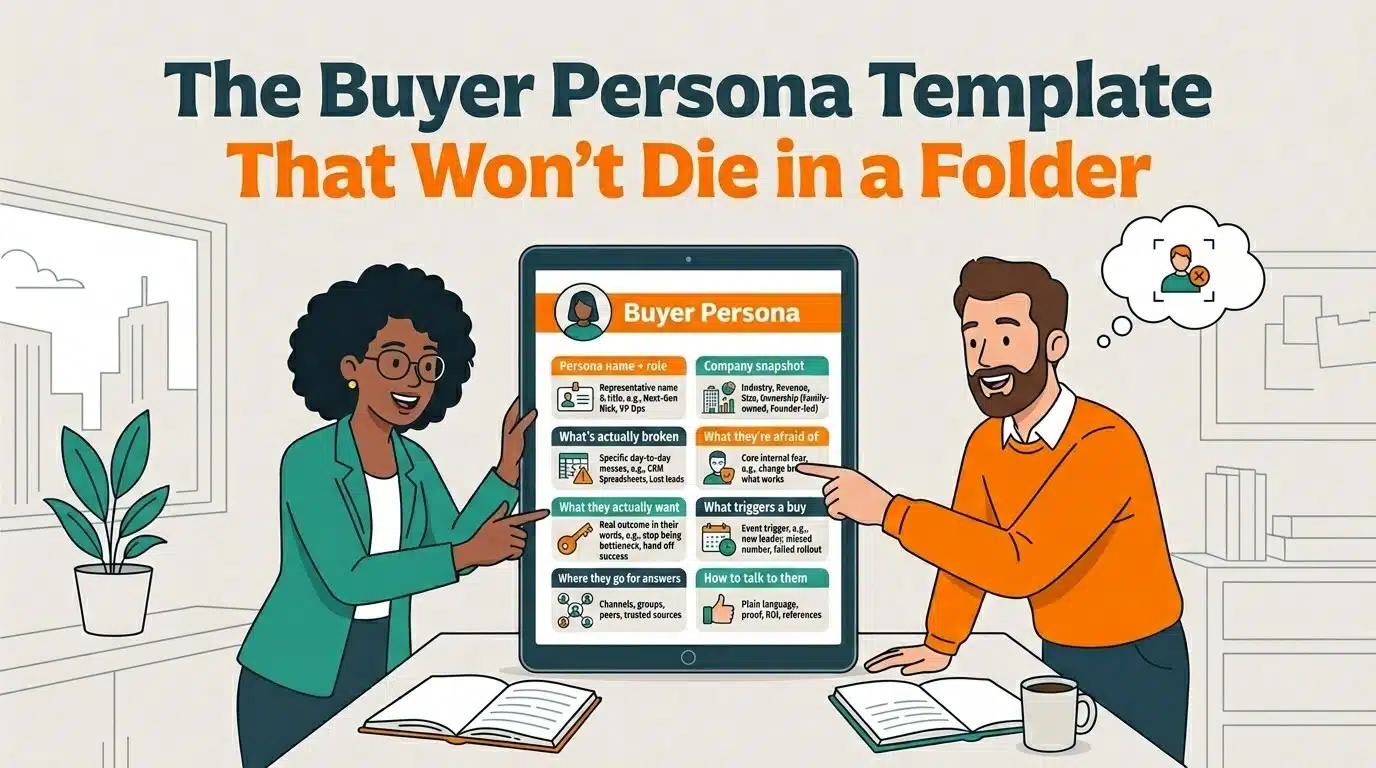
If you're reading this, you probably already know what a buyer persona is. But just so we're starting from the same place: HubSpot describes a buyer persona as a semi-fictional, research-based sketch of your ideal customer built from real data plus a little educated guessing about their goals, behaviors, and what keeps them up at night.
Here's the part that you need to remember: A persona is not a job title. Guess what—it's also not a market segment. Oh, yeah. A persona is also not "anyone who might buy from us." Keep remembering that definition from HubSpot: A persona is a specific, human picture of the person you're trying to reach, written down where your whole team can see it.
That "written down" part is where most companies fall apart. (More on that in a second.)
So let's skip the throat-clearing and get you something useful. We've got a buyer persona template for you, plus some helpful details on how to make personas work for you.
What is a buyer persona template?
A buyer persona template is a structured worksheet with prompts for each thing you need to know about a buyer: who they are, what's broken in their world, what they're afraid of, what they want, and what triggers them to buy. You fill in the blanks, and you walk away with a profile your team can actually use.
The template is the easy part. The research behind it is what makes it good. We'll cover both.
Why most buyer personas are useless (and how not to create useless ones)
Here's the dirty secret of buyer persona creation: most personas get built once, saved to a shared drive, and never looked at again. They become a box someone checked. ("We did personas!") Then everybody goes right back to guessing.
A persona only earns its keep when it changes what you actually do: your messaging, your lead scoring, the way sales opens a call. If your buyer personas don't inform these things, it's not earning its keep.
And the stakes are higher than they used to be, even for traditional B2B companies that have grown on relationships and word-of-mouth. According to Gartner's updated stats in 2025, a typical buying group for a B2B purchase now involves five to sixteen people, each showing up with their own research and their own priorities. So even a modest CRM & marketing automation tool deal at a $50M manufacturer isn't typically one person saying yes. It might be the founder, the next-gen leader pushing for change, the marketing person who'll live with the new system, and the 20-year sales vet who's deeply suspicious of all of it.
Translation: you don't need a persona. You need a few. One for each seat at the table.
The buyer persona worksheet: 8 things to nail down
Build one of these for each distinct buyer in a deal. Keep your answers in plain language. Full sentences, fragments, whatever gets the truth on the page. Let's pepper in a few details from the example of a manufacturer purchasing a CRM and marketing automation system.
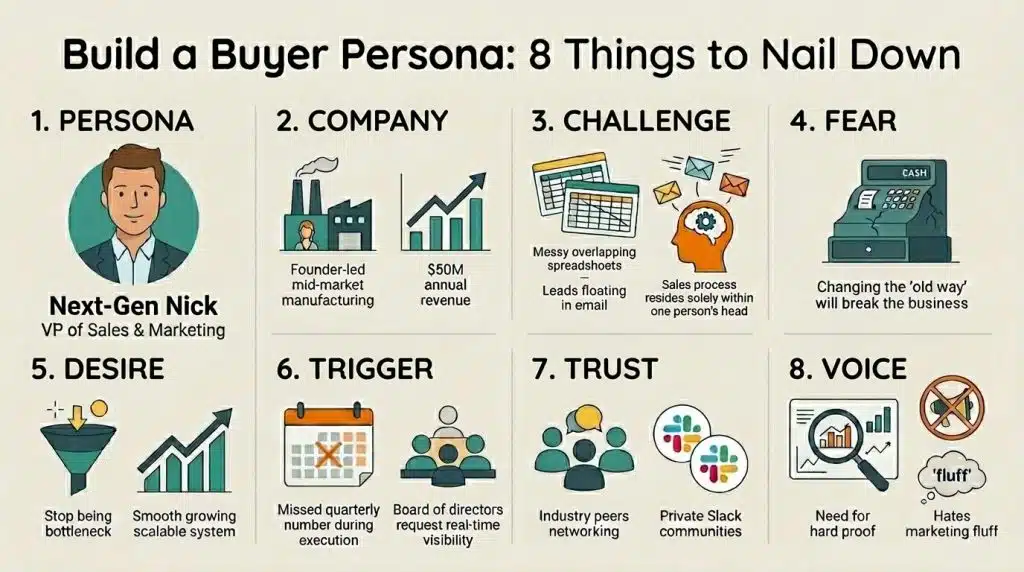
- Persona name + role. Give them a name and a title. Not a real customer — a representative one. ("Next-Gen Nick, VP of Sales & Marketing.")
- Company snapshot. Industry, revenue, headcount, ownership (family-owned, founder-led, ESOP), and what stage the business is in.
- What's actually broken. The day-to-day mess. Spreadsheets doing a CRM's job. Leads slipping through cracks. The whole sales process living in one person's head. Get specific.
- What they're afraid of. The objection under the objection. "We've always done it this way" usually means "I'm scared change will break what works." Name the fear, not just the words.
- What they actually want. The outcome, in their words. Not "marketing automation." More like "I want to stop being the bottleneck."
- What triggers a buy. The event that turns someday into now. A new leader, a missed number, a failed software rollout, a generational handoff, a board asking for real numbers.
- Where they go for answers. Channels, communities, and the people they trust before they trust you.
- How to talk to them. What lands? What makes them roll their eyes? What proof do they need before they'll believe you?
How do you do buyer persona research?
A template's only as good as what you put in it, and the best B2B buyer persona research doesn't come from a brainstorm in a conference room. It comes from your actual customers.
A few places to mine:
- Your actual customers. Talk to a handful of customer contacts. You'll find that 20-minute conversations with your best clients will teach you more than a month of guessing. Ask why they bought, what almost stopped them, and what they Googled at 11 p.m. to discover your business as the possible solution.
- Your sales team's notes. Your reps are sitting on a goldmine of objections and exact-phrasing. Use them.
- Your CRM. Who actually closes? Who churns? Patterns in your own data beat assumptions every time.
- Support tickets and reviews. Mine the words customers use to describe their problems. Make those words your words.
The point of all this: capture how your buyers actually talk. Made-up personas sound made up. Real ones sound like your customers, because they're built from your customers.
Tools that help
You can absolutely build a great persona in a plain document, and that's what the template above is for. But a few tools can speed up buyer persona creation:
- HubSpot's Make My Persona. Free, and recently rebuilt around AI. You describe your ideal customer in plain language and it drafts a structured persona you can edit and share. A solid starting point, especially if you're already in HubSpot. (Heads up: HubSpot updates this tool often, so the exact flow may look a little different by the time you try it.)
- UserForge. A persona-building tool that leans a bit more toward product and UX teams, with a free tier and AI-assisted options. Useful if you want a collaborative, reusable persona library.
- AI assistants (ChatGPT, Claude, and friends). I'll admit I was a skeptic, and now I use them constantly. They're great for a first draft or a gut check: feed in what your company does, your customers, and your differentiators, and ask for a persona. Just fact-check everything it gives you. AI doesn't get to do the thinking for you. (You still have to be in the room.)
Here's how I'd actually use them together: let a tool like Make My Persona draft the profile (the who: title, industry, company size, goals), then drop that into the top of our template and fill in the part the tools skip. The fear under the objection. The trigger that turns "someday" into "now." How to actually talk to this person. The tool gives you a snapshot of who they are. The template turns it into something you can sell with. (One does the homework; the other does the work.)
One note, because I'm not going to recommend something I haven't checked: there are a lot of flashy AI persona tools out there, and some of them are tiny operations with shaky reliability right now. Before you commit (or pay), kick the tires with a free trial and make sure the thing actually logs you in and works. Pretty marketing site, broken product is a real genre.
Once it's built, put it to work
There is one step that a lot of people skip, even though it should be the point of the whole exercise. For a persona document to be useful, you have to use it!
A persona that lives in a folder does nothing. A persona that's wired into your operation can change everything. Here's where to plug it in:
- Your CRM. Set up (or clean up) your Persona property and your lifecycle stages so every contact maps to a persona.
- Your lead definition. Use personas to finally get sales and marketing to agree on what a qualified lead actually is.
- Your content. Their pain points become your topics. Their words become your headlines. (Want to show up when buyers—and AI search tools—go looking for answers? Talk about their problems in their terms to discuss your solutions.)
- Your briefs. Hand the persona to anyone writing or selling for you: new hires, freelancers, agencies, and even AI.
This step is the part we spend our days on at The B2B Mix. Personas are step one. Turning them into clean pipelines, smart lead routing, and a HubSpot setup that actually reflects who you're selling to is where the real work happens. (And if a similar challenge is on your plate—picking the right tools to target specific accounts and personas—our guide to ABM tools for mid-market B2B is a good next read.)
How do you actually build marketing personas? Just start.
Whether you use a spreadsheet, a fancy AI builder, or the template above, the important thing is that you're doing it at all. Document the basics. Then take it further: Map the buying journey, build messaging around what each persona cares about, and connect the whole thing to your systems.
You'll be amazed how much sharper your marketing gets when you stop guessing and start writing it down.
Go ahead and grab the template. Future you will thank you.
Frequently Asked Questions
A buyer persona template is a fill-in-the-blank worksheet for documenting your ideal customer: their role, company, pain points, fears, goals, and what triggers them to buy. A good template turns scattered assumptions into a shared profile your team can use for marketing, sales, and content.
Most B2B companies need more than one. Because a typical B2B purchase involves a group of decision-makers (Gartner puts it at five to sixteen for complex buys), you'll usually want a persona for each key role in the deal: the economic buyer, the internal champion, and the day-to-day user.
An ICP describes the kind of company you want to sell to (industry, size, revenue). A buyer persona describes a person inside that company. You need both: the ICP tells you which doors to knock on, and the persona tells you who answers and what to say.
No. A simple document or worksheet works fine. Tools like HubSpot's Make My Persona can speed up the drafting, and AI assistants are handy for a first pass, but the quality comes from real research, not the tool.
Talk to your best customers, read your sales call notes, dig into your CRM data, and mine support tickets and reviews. The goal is to capture the actual language your buyers use to describe their problems.